EasyManua.ls Logo

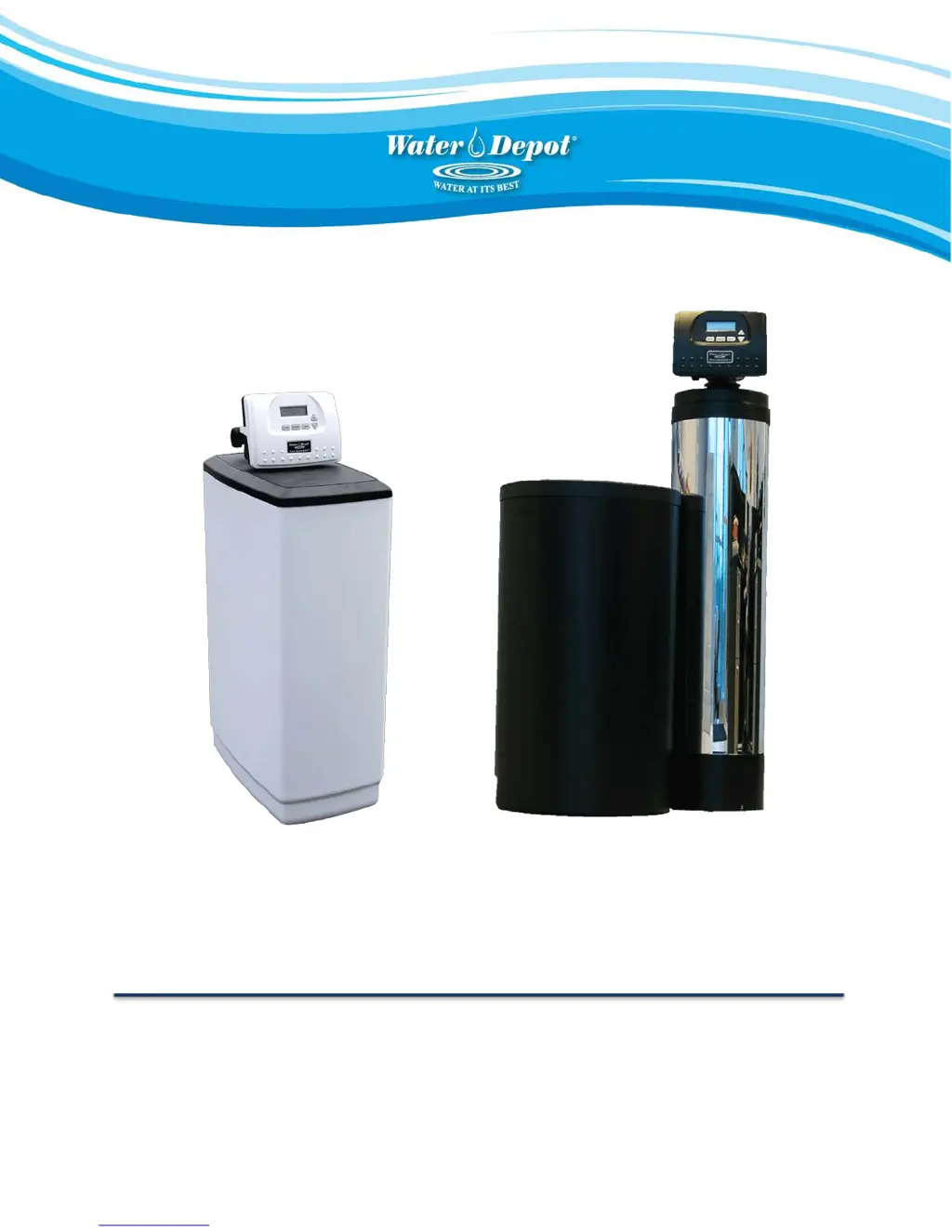
Water Depot REFINEOSOFT SERIES: - User Manual

Default Icon
15 pages
Print Icon
To Next Page IconTo Next Page
Loading...
OWNERS MANUAL
FOR ALL PLATINUM & REFINEOSOFT SYSTEMS
THIS MANUAL IS TO BE LEFT WITH THE OWNER OF THE EQUIPMENT FOR REFERENCE AND PURPOSES AND
TECHNICAL GUIDANCE. IT IS STRONGLY RECOMMENDED THAT QUALIFIED DEALER SERVICE PERSONNEL
BE CONTACTED IN THE EVENT OF AN UNKNOWN INTERRUPTION OF SERVICE OR APPARENT PRODUCT
MALFUNCTION. AN ANNUAL PREVENTATIVE MA
INTENANCE INSPECTION BY A WATER DEPOT
PROFESSIONAL IS RECOMMENDED TO ENSURE TROUBLE-FREE AND CONTINUOUS OPERATION.
www.waterdepot.com

Questions and Answers

  • T
    Teresa NguyenAug 18, 2025
    Why does my Water Depot REFINEOSOFT Water Dispenser control valve regenerate at the wrong time of day?
    • L
      Linda HardyAug 18, 2025
      If your Water Depot Water Dispenser's control valve regenerates at the wrong time, there are several potential causes: * **Power Outages:** Reset the control valve to the correct time of day. * **Incorrect Time Setting:** Reset the time of day to the correct time. * **Incorrect Regeneration Time:** Reset the regeneration time. * **Control Valve Setting:** Check the control valve setup procedure for the regeneration time option. It might be set to “on 0” (immediate regeneration) or “NORMAL + on 0”.
  • C
    Caroline BondAug 21, 2025
    What to do if my Water Depot REFINEOSOFT Water Dispenser control valve only regenerates when the REGEN button is pressed?
    • J
      Julie StewartAug 22, 2025
      If your Water Depot Water Dispenser doesn't automatically regenerate, but does when you press the REGEN button, consider these possible causes: * **Bypass Valve Position:** Ensure the bypass valve is in the normal operation position, not the bypass position. Put bypass valve in normal operation position. * **Meter Connection:** Check if the meter connection is disconnected and connect the meter to the PC board if necessary. * **Meter Turbine Issues:** Inspect the meter turbine for restrictions or stalls. Remove the meter and check for rotation or foreign matter. * **Defective Meter:** Replace the meter if it is defective. * **Defective PC Board:** Replace the meter if the PC Board is defective. * **Set-up Error:** Check the control valve set-up procedure.
  • B
    brianasanchezAug 26, 2025
    What causes a Water Depot Water Dispenser control valve to stall during regeneration?
    • D
      David JonesAug 26, 2025
      A stalled control valve during regeneration in your Water Depot Water Dispenser can stem from several issues: * **Motor Problems:** The motor might not be operating, requiring a replacement. * **Power Issues:** There may be no electric power at the outlet. Repair the outlet or use a working outlet. * **Defective Components:** The AC adapter or PC board could be defective, necessitating replacement. * **Broken Parts:** The drive gear, drive cap assembly, or piston retainer might be broken, requiring replacement of the affected part. * **Main Regenerant Issues:** The main regenerant piston could be broken, also requiring replacement.
  • K
    katelyn51Aug 28, 2025
    Why is the time of day incorrect on my Water Depot REFINEOSOFT Water Dispenser timer?
    • D
      davidmillerAug 28, 2025
      If the timer on your Water Depot Water Dispenser is showing the wrong time, it could be due to: * **Switched Outlet:** The dispenser may be connected to a switched outlet. Use an uninterrupted outlet. * **Power Outage:** There may have been a power outage. Reset the time of day. * **Defective PC Board:** The PC board may be defective, requiring replacement.
  • J
    Johnny WoodAug 31, 2025
    What to do if my Water Depot REFINEOSOFT control valve doesn't regenerate when I hold the REGEN button?
    • L
      Logan RobertsSep 1, 2025
      If your Water Depot Water Dispenser's control valve fails to regenerate automatically when the REGEN button is held down, check the following: * **AC Adapter:** Ensure the AC adapter is properly connected. * **Power Outlet:** Verify that the outlet has power; repair the outlet or try a working one. * **Drive Gear/Cap Assembly:** Inspect the drive gear and drive cap assembly for any breaks, and replace if necessary. * **PC Board:** A defective PC board could be the issue, requiring replacement.
  • K
    Karen JenningsSep 4, 2025
    How to fix a Water Depot Water Dispenser timer that isn't displaying the time?
    • M
      Margaret HigginsSep 4, 2025
      If the timer on your Water Depot Water Dispenser isn't showing the time of day, check these potential causes: * **AC Adapter:** Ensure the AC adapter is plugged in and connected to power. * **Outlet Power:** Verify that the outlet has power. If not, repair the outlet or use a working one. * **AC Adapter Condition:** The AC adapter itself might be defective and need replacement. * **PC Board Issue:** A defective PC board could also be the reason, requiring replacement.
  • D
    Debra LynchSep 7, 2025
    What to do if there is no softening/filtering display on my Water Depot REFINEOSOFT when water is flowing?
    • M
      moraleslisaSep 8, 2025
      If your Water Depot Water Dispenser isn't showing the softening/filtering display while water is flowing, here's what you can check: * **Bypass Valve:** Make sure the bypass valve is in the service position, not the bypass position. Put bypass valve in service position. * **Meter Connection:** Verify that the meter is connected to the PC board. Connect meter to PC board if it is disconnected. * **Meter Turbine:** Check for any restrictions or stalls in the meter turbine. Remove the meter and check for rotation or foreign material. * **Defective Meter:** The meter itself might be defective and need replacement. * **Defective PC Board:** Replace the PC board if it is defective.
  • J
    jenningsscottSep 12, 2025
    Why does the time of day flash on and off on my Water Depot REFINEOSOFT Water Dispenser?
    • L
      Lisa PhillipsSep 12, 2025
      The time of day flashing on and off on your Water Depot Water Dispenser indicates that the power has been out for more than two hours, the AC adapter was unplugged and then plugged back into the wall outlet, the AC Adapter plug was unplugged and then plugged back into the board or the NEXT and REGEN buttons were pressed to reset the valve. To resolve this, reset the time of day.
  • J
    johnmccannNov 14, 2025
    What to do if my Water Depot REFINEOSOFT Water Dispenser shows an ERROR followed by a code number?
    • M
      Michelle MayNov 14, 2025
      An ERROR code on your Water Depot Water Dispenser typically indicates an issue within the control valve system. This could be due to several reasons: * The control valve has just been serviced: Press NEXT and REGEN for 3 seconds or unplug the power source jack (black wire) and plug it back in to reset the control valve. * Foreign matter is lodged in the control valve: Check the piston and spacer stack assembly for any foreign matter. * High drive forces on the piston: Replace the piston(s) and spacer stack assembly. * Control valve piston is not in the home position: Press NEXT and REGEN for 3 seconds or unplug the power source jack (black wire) and plug it back in to reset the control valve. * Motor issues: Check the motor and wiring, replacing the motor if necessary. This may ...

Summary

General Warnings and Precautions

Plumbing Codes and Safety Compliance

Adherence to local plumbing codes is the purchaser's or installer's responsibility.

Regeneration Modes and Handling

Power Loss and Error Handling

System resets for short outages; time needs resetting for long outages. Error messages require factory contact.

Installer Display Settings Configuration

Accessing Installer Settings

Press NEXT and ▲ simultaneously for 3 seconds to enter installer settings mode.

Softener System Setup

Cycle Options and Fill Settings

Defines cycle options like Backwash, Rinse, Brine, Fill with their limits and default values.

Detailed Softener System Setup Steps

Entering and Selecting Softener Mode

Access softener setup and choose the 'SOFTENING' mode using control buttons.

Softener Setting Options Explained

Troubleshooting Common Issues

Regeneration and Error Code Resolution

Addresses no softening display, incorrect regeneration timing, and error codes.

Specific Error Code Guidance

Details on Error Codes 1001-1004 related to regeneration start, stall, and motor timeout.

Advanced Troubleshooting and Support

Control Valve Stalling and Failure

Causes and solutions for control valve stalling or failing during regeneration.

Regeneration Initiation Issues

Troubleshooting regeneration failures when REGEN button is pressed manually or automatically.

System Installation Procedures

Drain Line Flow Control and Fittings

Guidance on selecting, assembling, and cleaning drain line flow controls and fittings.

Bypass Valve Operation and Modes

Bypass Valve Operation Positions

Explains the four positions: Normal, Bypass, Diagnostic, and Shut Off.

Water Depot REFINEOSOFT SERIES: Specifications

General IconGeneral
BrandWater Depot
ModelREFINEOSOFT SERIES:
CategoryWater Dispenser
LanguageEnglish

Related product manuals