EasyManua.ls Logo

WaterChef U9000 - User Manual

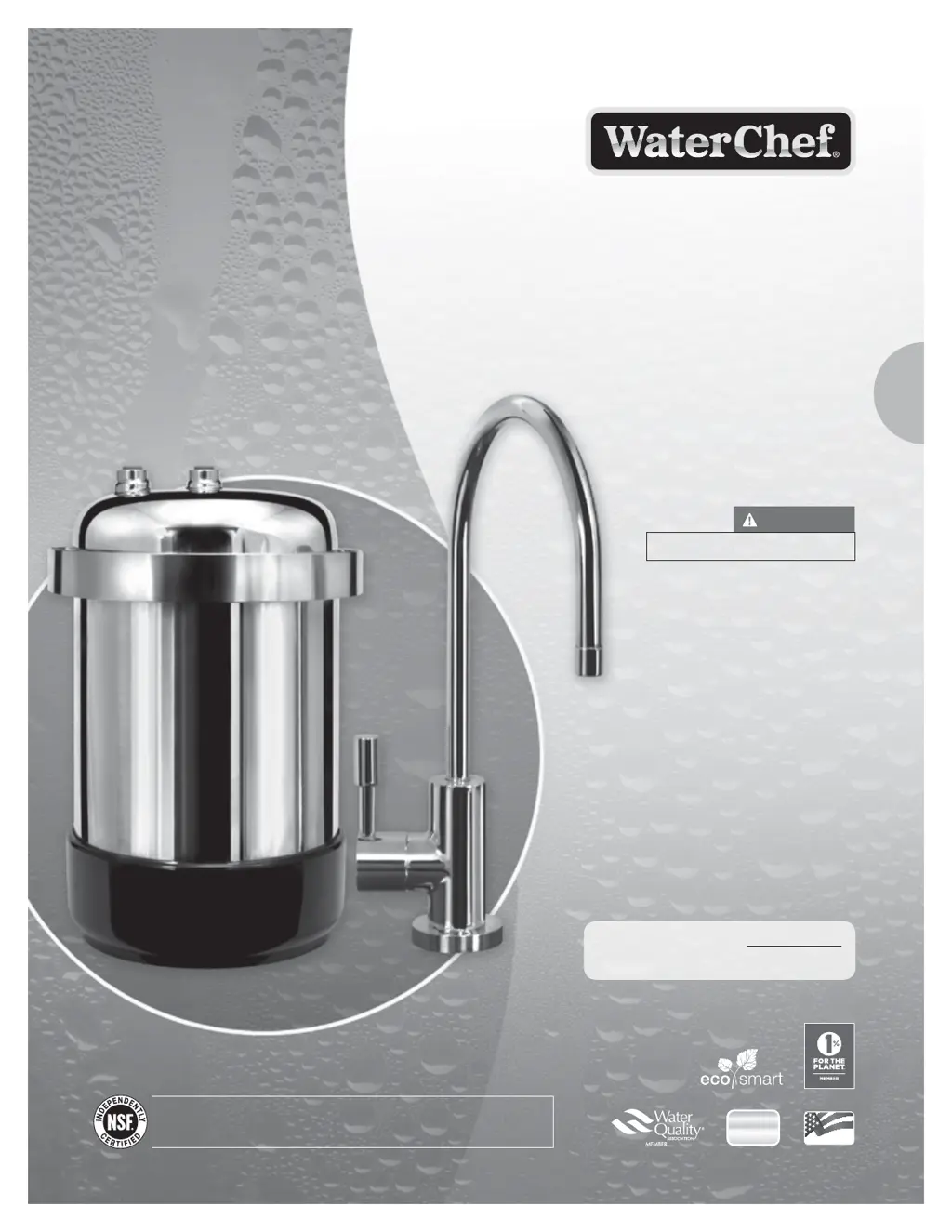
WaterChef U9000
16 pages
Print Icon
To Next Page IconTo Next Page
Loading...
This System may require the
services of a licensed plumber.
PREMIUM WATER FILTRATION
U9000
INSTALLATION, USE & CARE GUIDE
UNDER-SINK
Filtration System
Read & Save These Instructions.
IMPORTANT
System Tested and Certified by NSF International against NSF/ANSI Standard 42 for the
reduction of Chloramine, Chlorine Taste and Odor, and nominal Particulate Class I and
NSF/ANSI Standard 53 for the reduction of Cysts, Lead, VOC and MTBE.
QUESTIONS?
1.800.879.8909
(int’l +1.775.359.9500)
MON - FRI 8 AM - 5 PM PST
ASSEMBLED
USA
ASSEMBLED
USA
bpafree
18/8
STAINLESS
System Serial Number:
Serial Number is located on lter housing base.

Questions and Answers

  • A
    Alicia PerkinsAug 1, 2025
    Why is the yellow LED indicator flashing on my WaterChef Water Filtration System?
    • E
      Erin PetersonAug 1, 2025
      The yellow LED indicator on the faucet ring of your WaterChef Water Filtration System flashes because the filter cartridge is nearing the end of its capacity and will soon require replacement. It is recommended to purchase a new NSF certified WaterChef® UR90 Filter Cartridge. Once the RED LED Indicator begins flashing, replace the filter cartridge and battery shuttle.
  • M
    Michele CunninghamAug 9, 2025
    What to do if filtered water flows slowly from my WaterChef Water Filtration System?
    • C
      Christina NelsonAug 9, 2025
      If filtered water is flowing slowly from your WaterChef Water Filtration System, it's likely that excessive particles in your water supply have prematurely clogged the filter cartridge. The filter cartridge must be replaced, along with the battery and battery shuttle.
  • D
    Devin BrownAug 16, 2025
    Why do my ice cubes appear cloudy in the center with WaterChef Water Filtration Systems?
    • B
      Brendan WelchAug 16, 2025
      Cloudy ice cubes from your WaterChef Water Filtration System are usually caused by minerals like calcium and magnesium present in your water supply. These minerals collect in the center of ice cubes when water freezes. No action is required as this is normal.
  • N
    nancy54Aug 25, 2025
    How to remove white sediment from WaterChef filtered water?
    • C
      colleencaldwellAug 25, 2025
      The presence of white sediment in your WaterChef filtered water is typically due to calcium carbonate in your main water supply. This condition is normal, so no action is required. If desired, you can strain the white sediment.

Summary

Introduction

Important Use Guidelines

Product Specifications

Replacement Parts Directory

Setup and Installation

Drilling a Hole in a Porcelain;Ceramic Sink

Lists tools required for drilling into porcelain or ceramic sinks.

Drilling a Hole in a Stainless Steel Sink

Lists tools required for drilling into stainless steel sinks.

Installing the 3;8 T-Valve and Faucet

Details tools needed for installing the T-valve and faucet.

Faucet Installation

System Installation

Replacing the Filter Cartridge

Troubleshooting

White Sediment in Filtered Water

Explains the cause and solution for white sediment in filtered water.

Cloudy Ice Cubes

Addresses why ice cubes might appear cloudy in the center.

Slow Filtered Water Flow

Explains why water flow might be slow and when to replace the cartridge.

Yellow LED Indicator Flashing

Indicates the filter cartridge is nearing its capacity and needs replacement.

Lifetime Limited Warranty

How to Obtain Warranty Service

Provides instructions on contacting customer service for warranty claims.

Product Registration

Notes

WaterChef U9000 Specifications

General IconGeneral
Installation TypeUnder Sink
WarrantyLimited Lifetime Warranty
Operating Temperature40-100 °F
Micron Rating0.5 microns
Product TypeUnder Sink Water Filtration System
Filter LifeUp to 1 year
Contaminants ReducedChlorine, Lead, Mercury, VOCs, Cysts, and more
Dimensions15 x 5 x 12 inches
Flow Rate0.5 GPM (Gallons Per Minute)

Related product manuals