Need help?
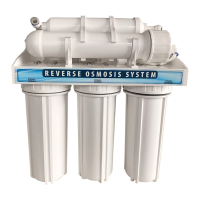
Do you have a question about the WaterGroup 12403 series and is the answer not in the manual?
Details configurations and specifications for various system models.
Specifies the recommended water quality parameters for system operation.
Lists available optional components and accessories for the system.
Describes the product water storage tanks, including diagrams and part numbers.
Outlines essential steps and considerations before installing the system.
Specifies ideal locations for system components like the faucet, module, and tank.
Details the necessary routine maintenance and service intervals for optimal system performance.
Explains the Smartap® monitor for indicating membrane performance and system status.
Describes how to use the push-button function of the Smartap® monitor for status checks.
Provides instructions and diagrams for connecting system components using tubing and fittings.
Guides on connecting additional water outlets like icemakers or extra faucets.
Details the installation process for the ball valve assembly on the plastic storage tank.
Instructions for preparing porcelain/enamel or cast iron sinks for faucet installation.
Instructions for preparing stainless steel sinks for faucet installation.
Instructions for preparing tile countertops for faucet installation.
Steps for installing a new product water faucet.
Steps for replacing an existing product water faucet.
Connects the storage tank (polymer) to the RO system.
Connects the storage tank (metal) to the RO system.
Details the module cover and connections for the Smartap® monitor.
Steps for performing optional Smartap® monitor tests during system activation.
Important warning about discarding the initial tank of water to flush the system.
Prepares for maintenance by listing necessary equipment and recommendations.
Instructions for sanitizing the entire RO system.
Instructions for installing new filter cartridges into the system.
Crucial safety warning for performing the cleaning and sanitizing procedure.
Steps for replacing the battery in the Smartap® Water Quality Monitor.
Reminder to discard the first tank of water after system activation or sanitization.
Addresses issues related to product water volume and quality.
Provides solutions for leaks and unusual noises within the system.
Explains troubleshooting for the Smartap® monitor's indicator lights.
 General
| Brand | WaterGroup |
|---|---|
| Model | 12403 series |
| Category | Water System |
| Language | English |

 To Next Page