Watson-Marlow 120U IP31 pumps: operating instructions 3
2.2 Good pump
installation practice
The 120 pump must be mounted in the upright
position and not inverted or placed on its rear face.
2.3 Switching the
pump on
The pump is powered by a dedicated 24V external
DC power supply unit which is supplied with the
pump.
Note: If you plan to operate the pump by
controls external to the pump, the 15-way
D-connector must be connected before power
is supplied to the pump (see 2.5 Automatic
control wiring and 2.6 Remote/automatic
control and operation). If any change is made
later to the 15-way D-connector, it must be
reconnected before power is supplied to the
pump.
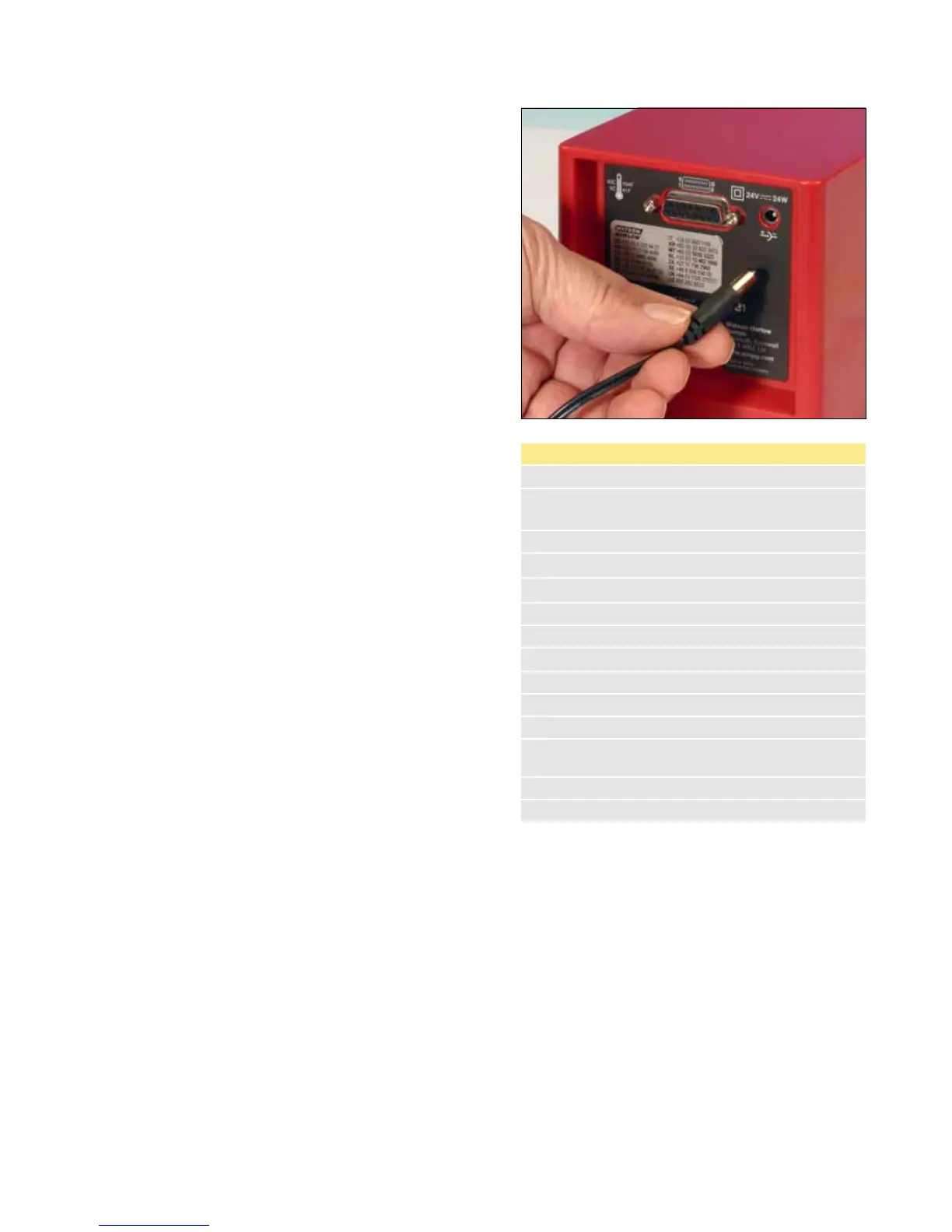
Plug the power supply’s output connector into
the power socket on the rear of the pump.
Plug the power supply unit into a mains power
outlet and switch on. The pump performs a
power-on test to confirm proper functioning of
the memory and hardware. If a fault is found,
an error message is displayed. See 2.7.1 Error
codes.
Load the pumphead with tube: see Section 3 of
these instructions.
The pump is now ready to operate according
to the default settings.
Operating parameters may be changed by means of
key-presses. See 2.4 Manual operation.
To return the pump to its default settings, press and
hold DIRECTION on power up.
120U start-up defaults
Set speed 32 rpm
Maximum speed
Maximum possible speed
depending on pumphead
Direction Clockwise
Mode Manual
Display Speed in rpm
Display and LEDs On
Pump status Stopped
Keypad lock Off
Auto-start Off
Beeper On
Max (prime) Maximum possible speed
Scrolling
increment
0.1 rpm
Remote stop Open=run
Output 1 General alarm








 To Next Page