Watson-Marlow 323E, 323S, 323U and 323Du User Manual 27
RS232 settings
Baud 9600
Stop bits 2
Data bits 8
Parity None
Flow control None
Echo On
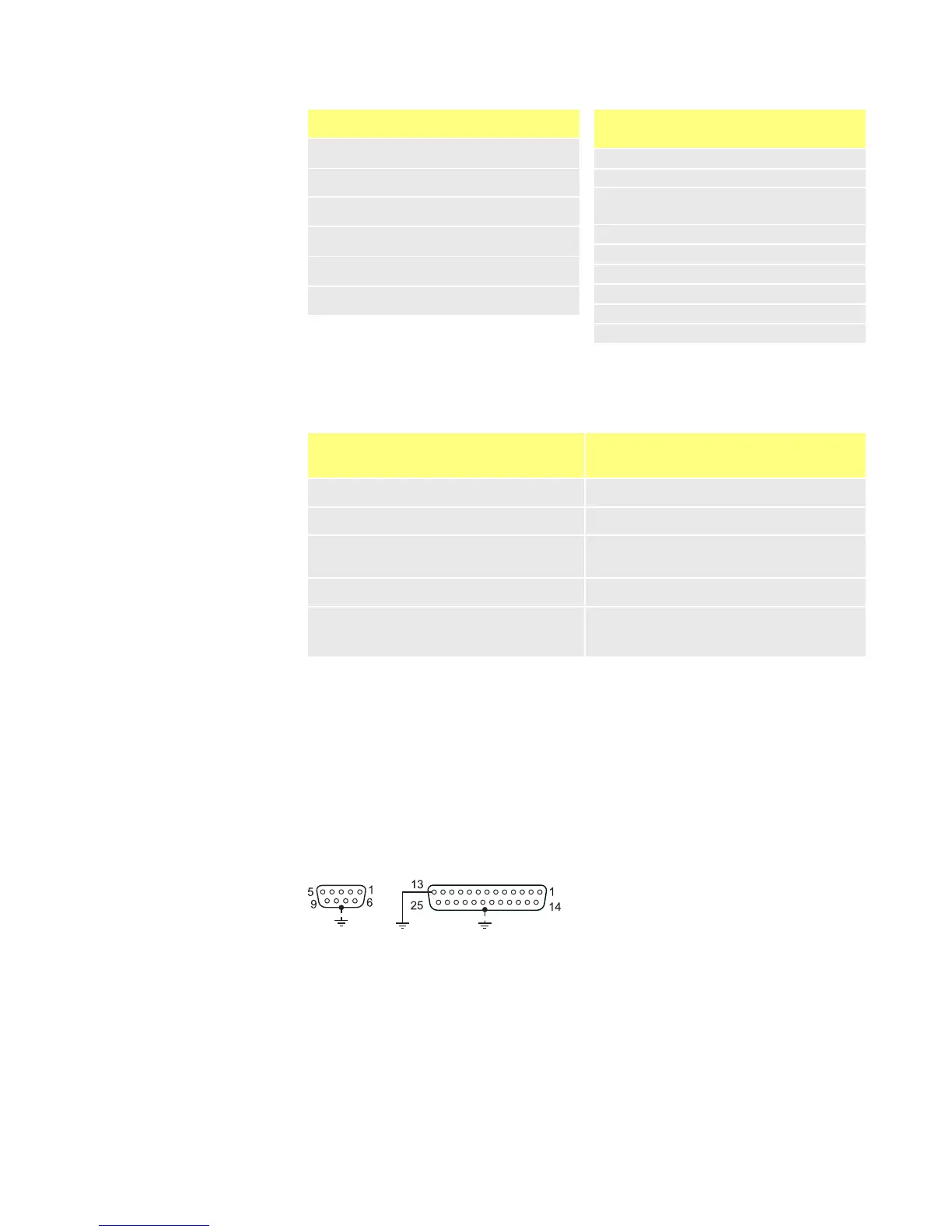
Pump inteface
pin
Function
1 -
2 RX (Receive data)
3
TX (Transmit
data)
4 -
5 GND (Ground)
6 -
7 -
8 Reserved
9 -
RS232 command modes
These are the codes to control the pump with the RS232 serial link. They must be sent
to the pump from a computer serial port (or equivalent).
Com-
mand
Function
Com-
mand
Function
1SPxxx Set pump speed to xxx 1RC Reverse direction
1SI Increase speed by 1rpm 1RR Set clockwise direction
1SD Reduce speed by 1rpm 1RL
Set counter-clockwise
direction
1GO Start pump 1RS Show all pump information
1ST Stop pump 1ZY
Show running status of the
pump. STARTed 1 or
STOPped 0
Always terminate each command with a RETURN (ASCII CHR13).
Notes on control codes
There should be at least 10mS between commands.
The command RS to show all pump information will return the following text string:
[pump type] [speed] [CW / CCW rotation] [stopped/running, 0 /1] [! delimiter]
e.g. 323Du 110 CW 1 !
Note: both 9 and 25-way D shells are earthed.










 To Next Page