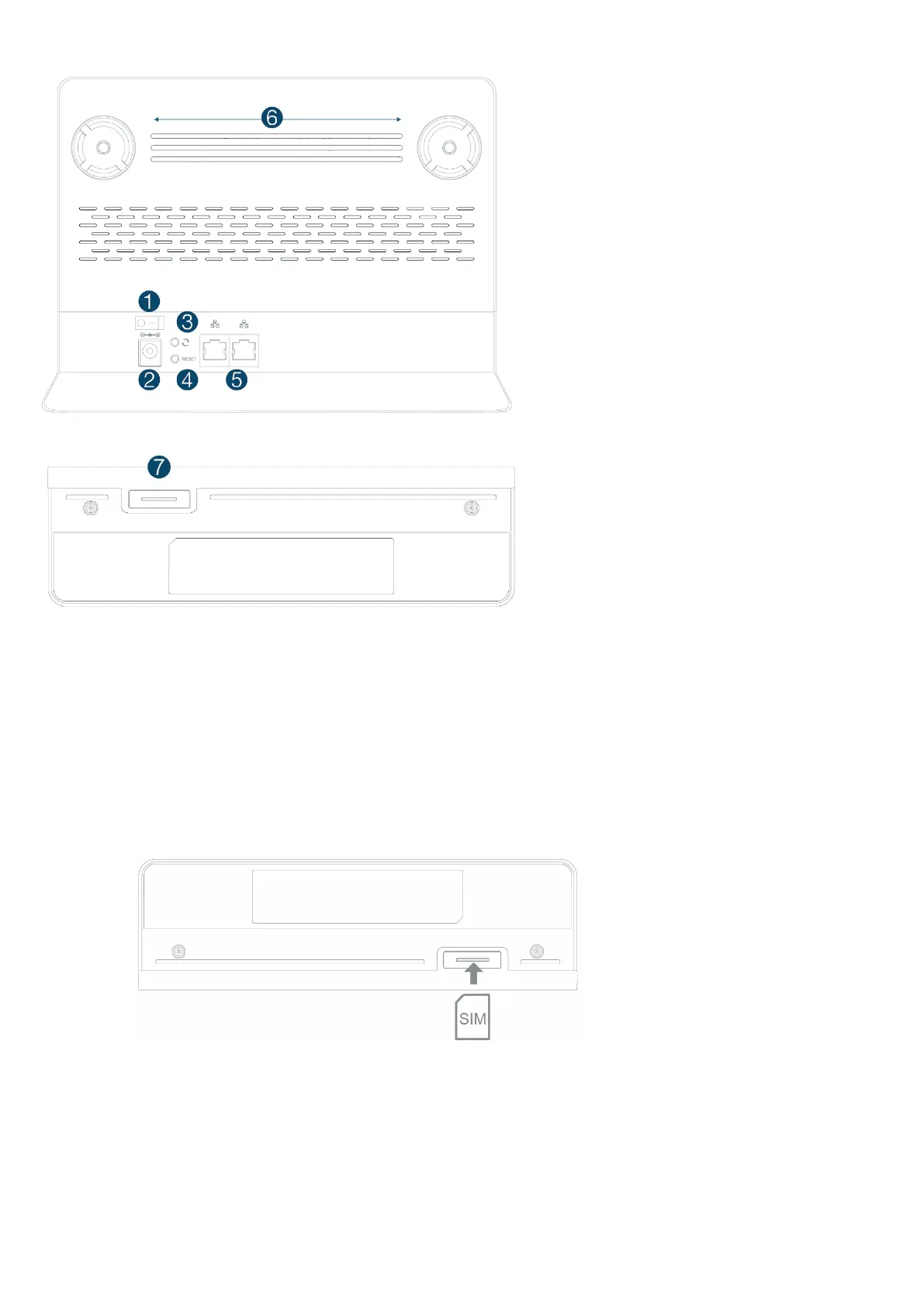
Connection Interface
1. Power On/Off Switch
2. Power Adapter Socket (DC-12V)
3. Join Button - Press button once to
enable join function Wattle Smart
Home.
4. Reset Button:
a. Press button shortly once to reboot
device.
b. Hold down the button for 5 seconds
to reset device to default settings.
5. LAN Port (RJ-45)
6. External Antenna Port (Female
SMA)
7. SIM Card Slot (2FF SIM)
Installation and SIM configuration
Please follow the steps below to install the device:
1. Insert SIM card into the device with exact orientation as illustrated below.
2. Insert the power cord into modem’s power adapter socket; and insert the plug into
power outlet. Toggle Power “on” to boot up the Pegasus.


 To Next Page