CommLink IV Setup Guide
3
Operator Interface
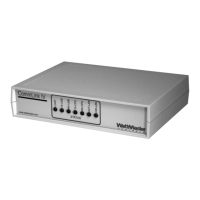
CommLink IV Overview
The CommLink IV is used to transfer communications between
controllers on your control system loops. It can also be used as
an interface for connection of a computer to your system.
The CommLink IV provides communication with the control
system through any computer that is running Prism software.
For remote communications, an IP Module Kit can be installed
for LAN and Internet connections or a Remote Link can be con-
nected for dial-up connections.
Optional IP Module Kit
The OE415-02 IP Module Kit, when installed and congured in
the CommLink IV communication interface, provides TCP/IP
Internet and/or intranet connection for Ethernet networked com-
puter systems allowing them to communicate with your control
system. The OE415-02 IP Module Kit consists of the IP Module
and a 10 ft. long CAT5 Ethernet crossover cable.
Using standard TCP/IP Protocol, with WattMaster’s Prism soft-
ware, you are able to monitor and congure your controllers
without a modem or a direct connection from a PC. Utilizing
existing routers, proxies, or rewalls allows a PC running Prism
to connect to a controller in a remote accessible location or build-
ing. Several IP connection proles can be created to facilitate
monitoring several CommLink IVs with IP Module Kits installed
on individual sites.
Optional Remote Link
The OE-419-06 Remote Link is a 14,400 baud modem that can
be used with a CommLink IV or a computer. It is used to provide
remote dial-up communications with the CommLink IV. When it
is used as a computer modem (at the remote computer location),
it connects to the remote computer.
NOTE: WattMaster will not support any other internal or
external modems by other manufacturers.
The Remote Link connects to the CommLink IV communications
interface at the control system location via a DB9 serial cable.
A telephone line connects the Remote Link to the local phone
service. Connection is made by dialing the telephone number
of the job site where the Remote Link is located. Using another
Remote Link modem connected to a computer at a remote loca-
tion, the control system can be monitored and controlled using
the Prism computer front end software package.
Installing CommLink IV ONLY
When you are using the CommLink IV in an application without
a computer, Remote Link, or IP Link Module, wire the RS-485
loop terminal to a MiniLink, MiniLink PD, or other controller on
your controls loop as required by your specic system.
Connect the power pack to a 110 volt wall outlet and connect
its wires to the power terminal block on the CommLink IV. If
desired, a 24 vac transformer rated at 12 VA minimum may be
used instead of the supplied power pack. Use 18 gauge minimum
2 conductor wire between the transformer and CommLink IV
terminals. Set the dip switch on the CommLink IV as shown in
Figure 2.
System Requirements
To program the CommLink IV to work with Prism, you will
need:
Standard Items (Required)
• CommLink IV with power adapter
• A PC with an Ethernet communications port or USB
port (supplied by others)
• Microsoft Windows 98, NT, 2000, XP, or Vista
(must be installed on the PC you are going to use)
• Prism software CD (ordered separately from
WattMaster)
Optional Items
• CommLink IP Module that comes with
Ethernet RJ-45 Crossover CAT 5, 10 ft. long cable for
LAN, and Internet remote communications
• Remote Link that comes with connection
cables for dial up remote communications
General Information


 To Next Page