156 CHAPTER 15 CLICK 203
Note
Because the Click 203 is a power supply, if you are using one, you do not need a Click
201/202/204.
Physical Features
e Click 203 has the following physical features.
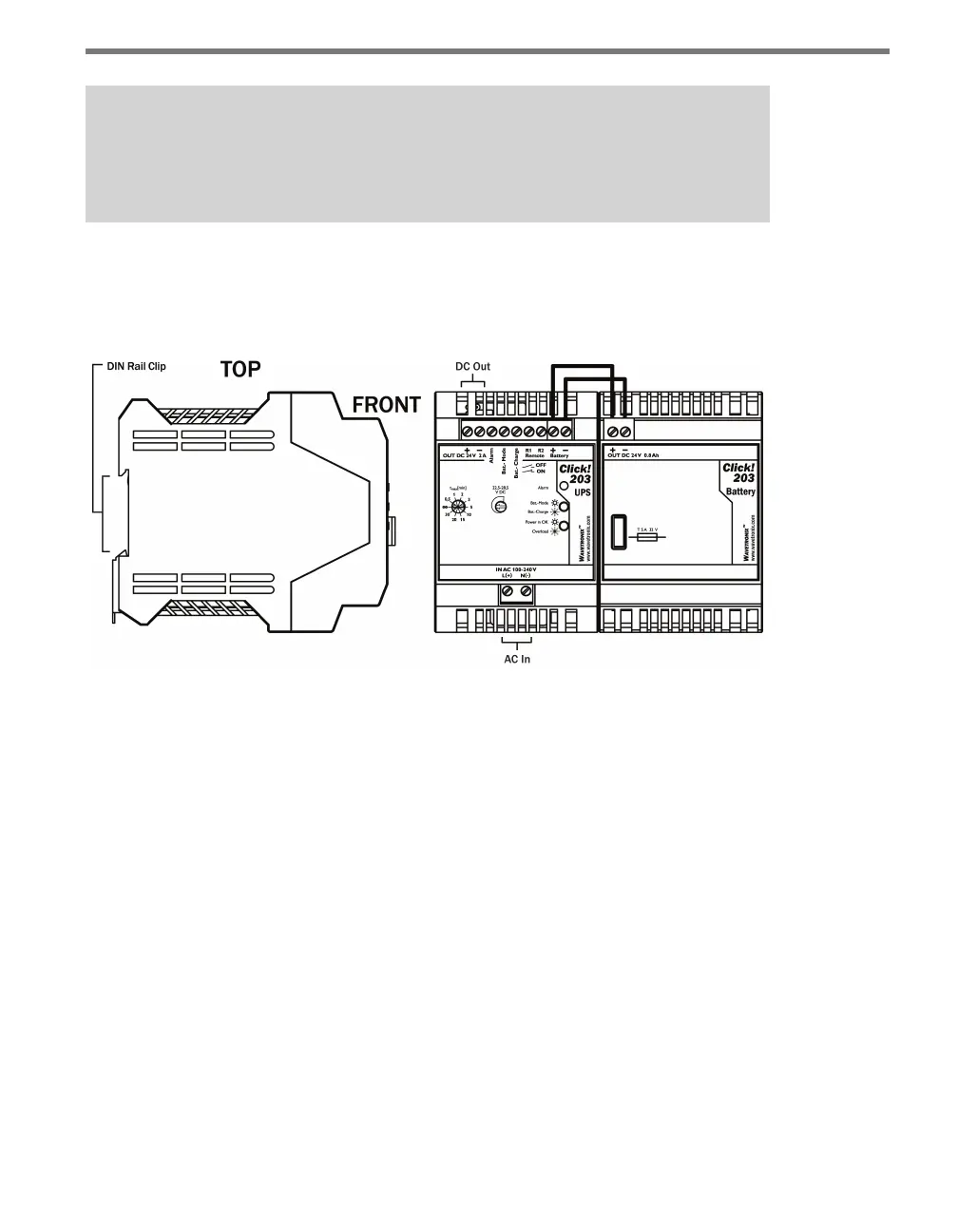
Figure 15.2 – Diagram of the Click 203
UPS Module
e UPS module features three pluggable screw terminal blocks. e screw terminal block
on the bottom of the module has two screw terminals for wiring AC power in. e top of
the module has two screw terminal blocks situated next to each other: the block on the right
has two screw terminals for wiring to the battery, and the block on the le has seven screw
terminals, for DC out, among other things. Wiring the device will be discussed later in the
chapter. e screw terminals are removable for easy preinstallation wiring.
e UPS module has three LEDs on the faceplate. See the On-device Conguration section
for information on these LEDs.
e faceplate also features two adjustable features, the potentiometer and the buer time
selector switch. See the On-device Conguration section for more information.
Battery Module
e battery module has a screw terminal block on top for wiring to the UPS module. ere’s
also a fuse on the faceplate of the module to protect the battery in case of a short.



 To Next Page