98 CHAPTER 9 CLICK 110
Baud Rate (Bus 1 and 2)
e next two conguration parameters that come up in the front panel menu allow you to
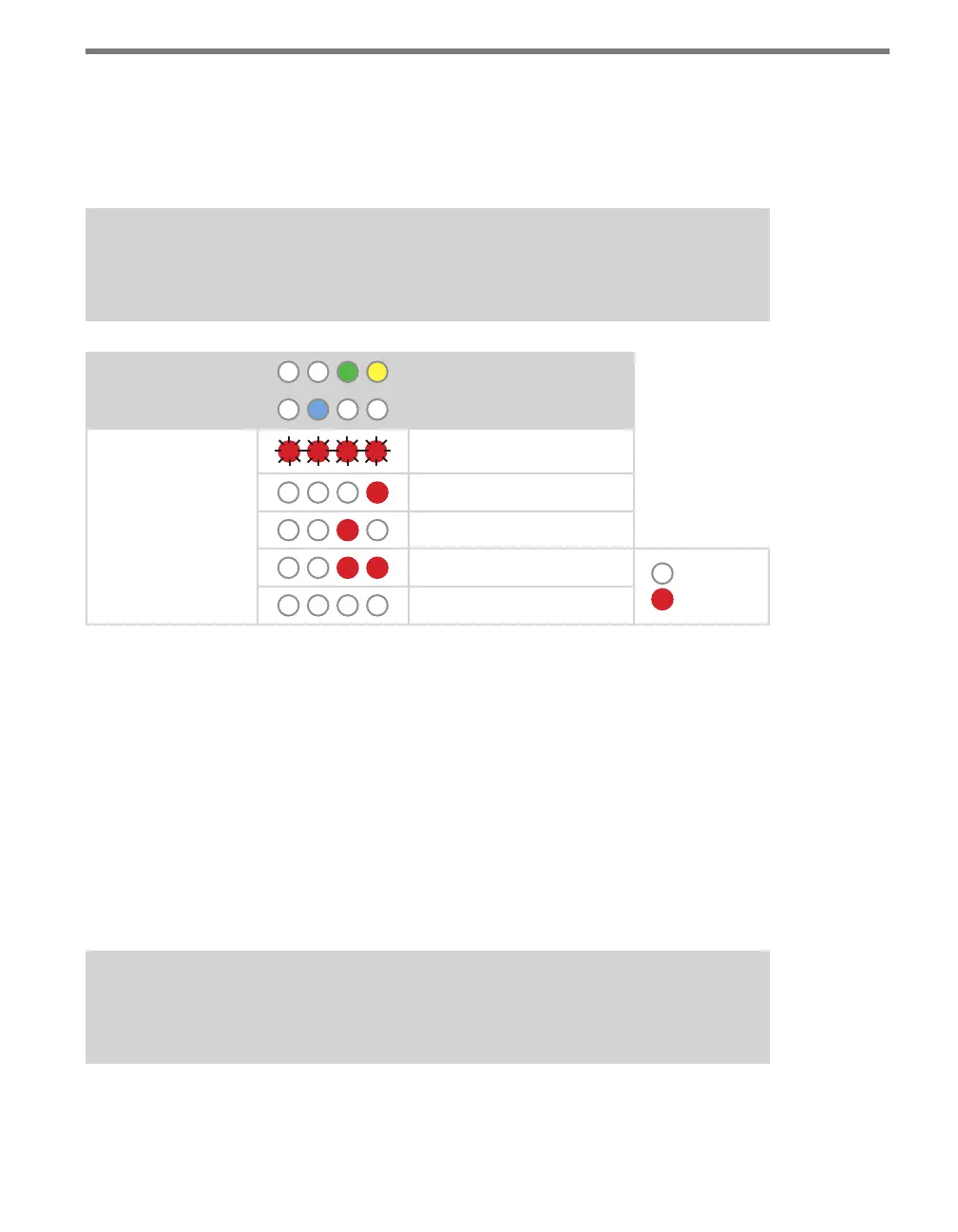
manually set the baud rate of the two RS-485 buses. Bus 1 comes up rst, with the green and
yellow LEDs coming on together; bus 2 comes up second, with the blue LED glowing solid.
Note
This parameter can also be changed using the DIP switches or Click Supervisor.
Level 1 LEDs
Baud rate for bus 1
Baud rate for bus 2
Level 2 LEDs
9600 bps (default)
19200 bps
38400 bps
57600 bps
LED o
LED on
Cancel and exit menu
Table 9.10 – Front Panel Menu Baud Rate Settings
See the earlier Navigating through the Menu and the Menu Operation Example sections for
how to congure this parameter.
Because this parameter can also be set by the DIP switches, you may need to ensure that the
DIP switches are set to Soware conguration mode; if they are set to Hardware, the front
panel menu will be able to display but not change these settings.
Channel Enable
e next congurable parameter is enabling output channels. To select this parameter, re-
lease the push-button when the blue and yellow LEDs come on.
Note
This parameter can also be changed using the DIP switches or Click Supervisor.
A disabled output will never enter the detection state, and will never indicate a fault condi-
tion. Any combination of outputs can be enabled. Due to limited space on the side label,



 To Next Page