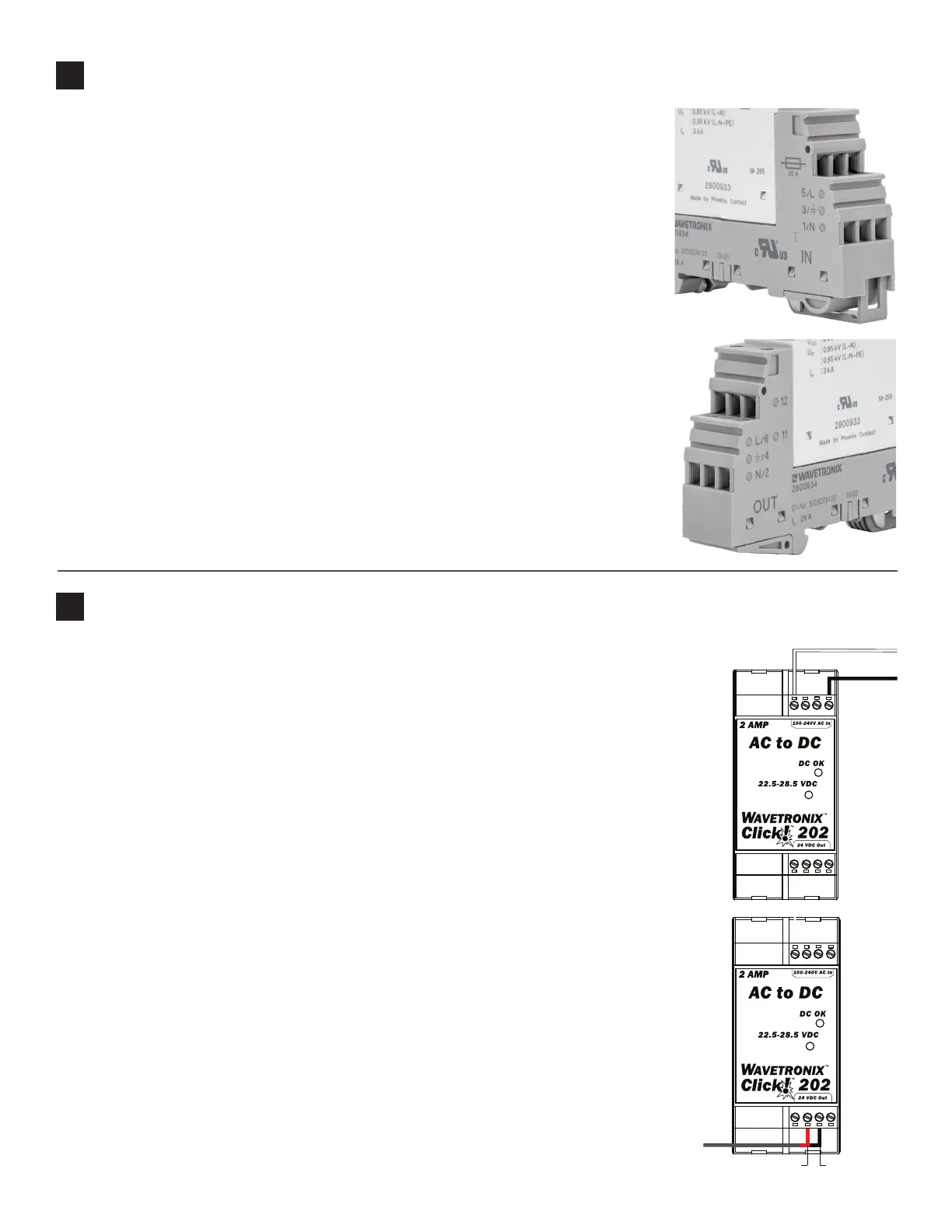
Wiring AC power in
Follow the steps below to properly wire an AC to DC power conversion module:
1 Mount the Click 201/202/204 onto the DIN rail.
2 Connect the line (hot) wire from the Click 230 into the L screw terminal on the top of the
Click 201/202/204. The line wire is usually black.
3 Connect the neutral wire from the Click 230 to the N screw terminal to the top of the Click
201/202/204. The neutral wire is usually white.
Wiring DC power out
To power the sensor, 10–30 VDC needs to be connected to the Click 200 in the pole-mount
cabinet. Additionally, if there is a main trac cabinet connected by a homerun cable, you will
need to connect DC power to the Click 200 in that cabinet.
1 Connect a +DC conductor (usually a red wire) to the + screw terminal on the bottom of the
Click 201/202/204.
2 Connect a -DC conductor (usually a black wire) to either of the - screw terminals on the
bottom of the Click 201/202/204.
Note. Do NOT connect to the DC OK screw terminal.
Some installations use a Click 203 instead of a Click 201/202/204. The Click 203 is covered in
Part 7 of this document.
5
Wire the Click 201/202/204 AC to DC converter
4
Wire the Click 230 AC surge
Follow the steps below to install the AC surge protection:
1 Mount the Click 230 onto the DIN rail.
2 Connect the line (hot) wire from the Click 210 terminal to terminal 5 on the IN side of
the Click 230.
3 Connect the neutral wire from the AC terminal block or cord to the terminal marked 1
on the Click 230.
4 Connect the ground wire from the AC terminal block or cord to the terminal marked 3
on the Click 230.
5 Connect the outgoing and protected neutral wire to the terminal marked 2 on the
Click 230.
6 Connect the outgoing and protected line wire to the terminal marked 6 on the Click 230.
7 Ground the system to the terminal marked 4 on the Click 230.
DC power (+) Ground (-)



 To Next Page