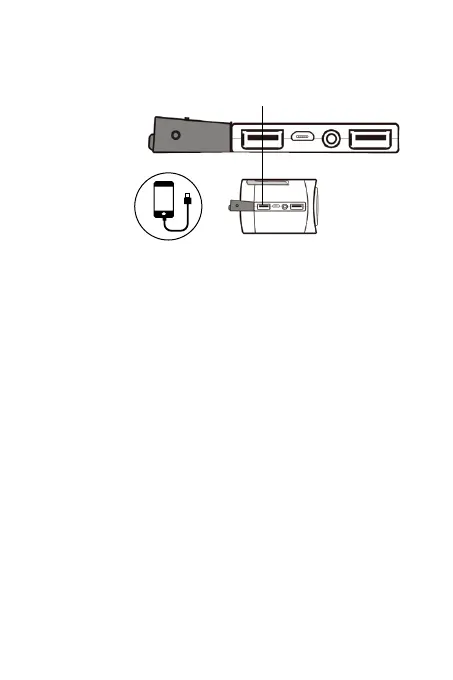
CHARGING USB DEVICES
10
USB Charge Port
A. LI-ION Power Bank
Select ‘LI-ION’ to use the 4000mAh Li-ION power bank to
charge devices - maximum output is 800mAh. Using the
Li-ION will consume the power bank and should be used only
for emergency purposes and is not intended as a routine
charging source.
B. AAA Batteries
Select ‘AAA’ (be sure 3 AAA batteries are inserted) to charge
the devices with the batteries.
Note: Look at your device notification to make sure its
charging as there is no device notification within the radio.
Charge devices such as mobile phones, tablets, portable
media/games through the USB charge port (cable not
provided). Choose a mode to charge the device from the
bottom of the radio:
Portable Devices,
Mobile, Tablet


 To Next Page