11
6.
Insert and format the m.icroSD card
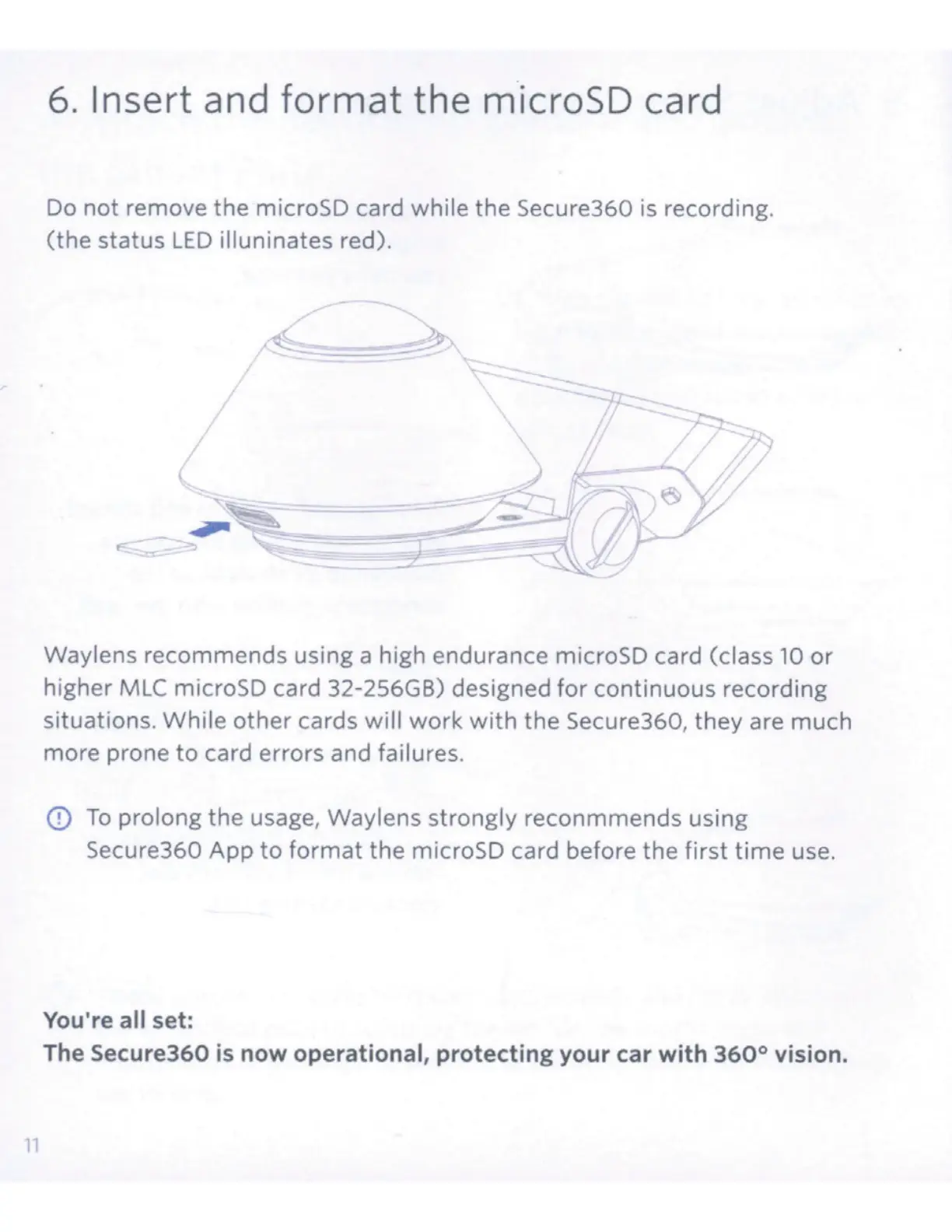
Do
not
remove the microSD card while the Secure360 is recording.
(the status
LED
illuninates
re
d).
Waylens recommends using a high endurance microSD card (class
10
or
higher
MLC
microSD card 32-256GB) designed
for
continuous reco
rd
ing
situations. While other cards
will
work
with
the
Secu
re360, they are much
more prone
to
card errors and failures.
<D
To
prolong the usage, Waylens strongly reconmmends using
Secure360 App
to
format
the
microSD card before the first
time
use.
You're all set:
The Secure360
is
now operational, protecting your car with
360°
vision.



 To Next Page