EN
131
• Step 5:
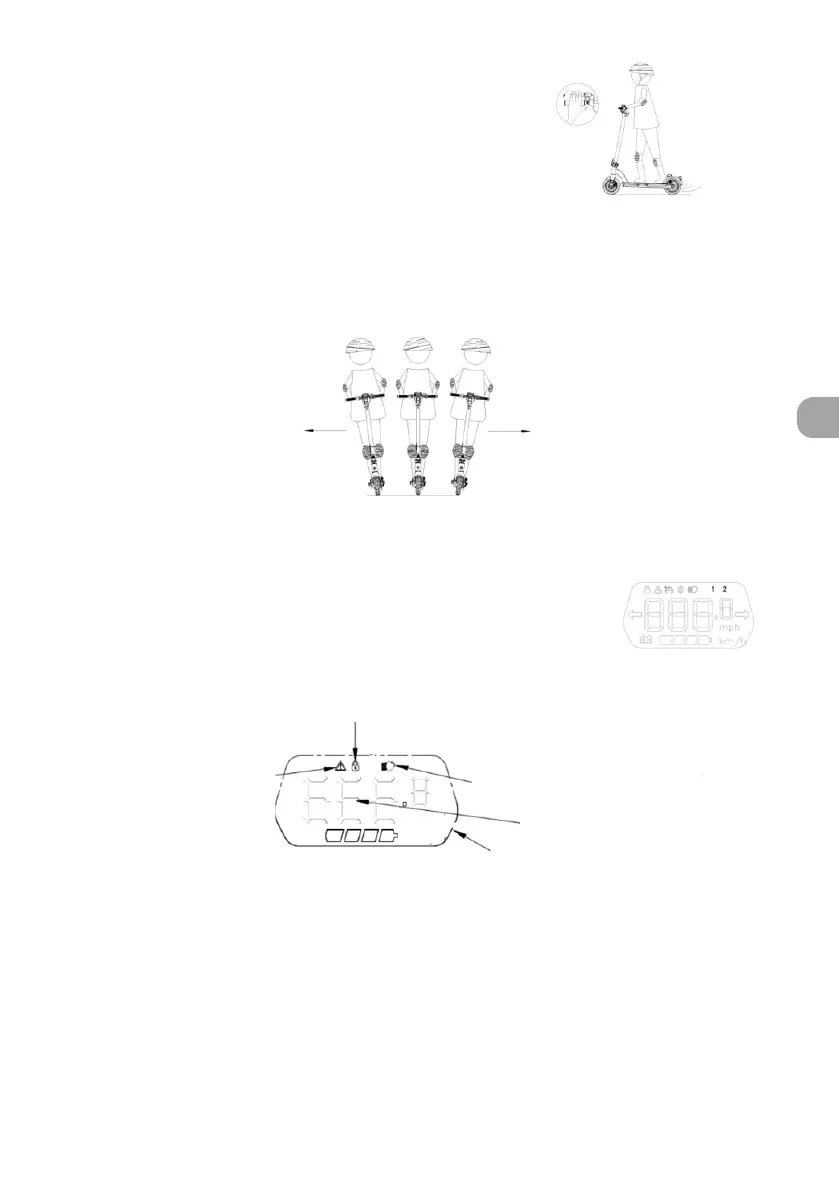
To brake, release the trigger or throttle lever and depress
the brake levers.
• Step 6:
Once your ride is complete, press and hold the On/O button for 3 seconds to turn the scooter
o.
IMPORTANT:
To avert any danger, sharp turns should always be avoided when travelling at high speed.
Keep your body balanced when turning to avoid falling over due to high speeds or a shifting centre of
gravity.
Ideal position for safe riding.
I. Control screen interface
The control screen, located on the handlebars, shows you the status of the
scooter, its speed, the battery charge level, the front and rear lights and
any error codes. It also allows you to set and enter the electronic lock code.
Locking the scooter
Headlight indicator
Pedestrian mode, ashes 3 times
Speed indicator
Error code
km/h



 To Next Page