Step-by-step Guide/How-to
Technical Support Hotline: 1-833-574-9124 (Option 1) • Email Address: tech@wboxsupport.com
Website: www.wboxtech.com
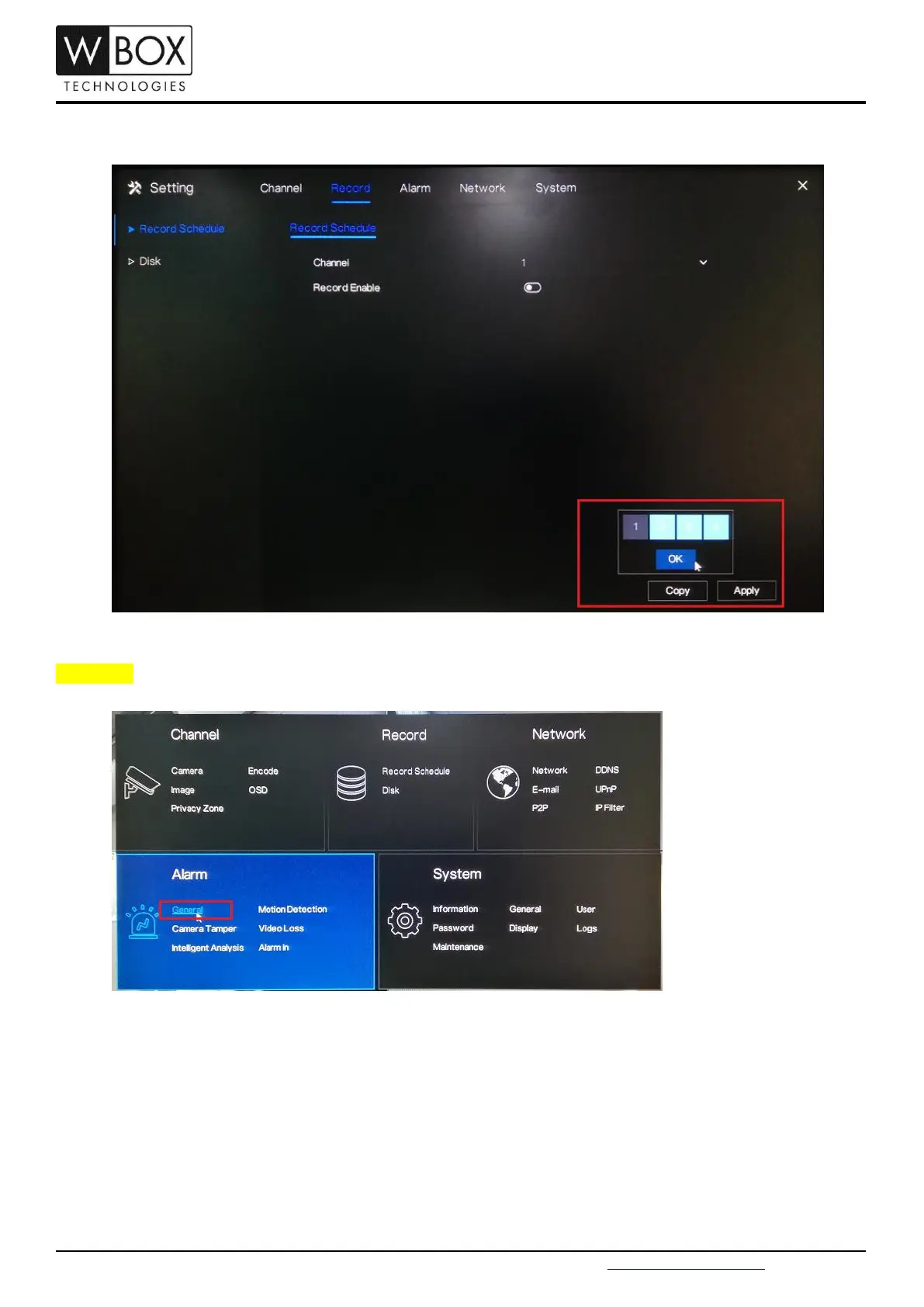
3. If you would like to disable the scheduled recording for the other channels, click Copy and select the specific
channel you would like to copy the setting. Click OK then Apply to save the changes.
Procedure:
1. Click the right mouse button and select General under Alarm.



 To Next Page