Step-by-step Guide/How-to
Technical Support Hotline: 1-833-574-9124 (Option 1) • Email Address: tech@wboxsupport.com
Website: www.wboxtech.com
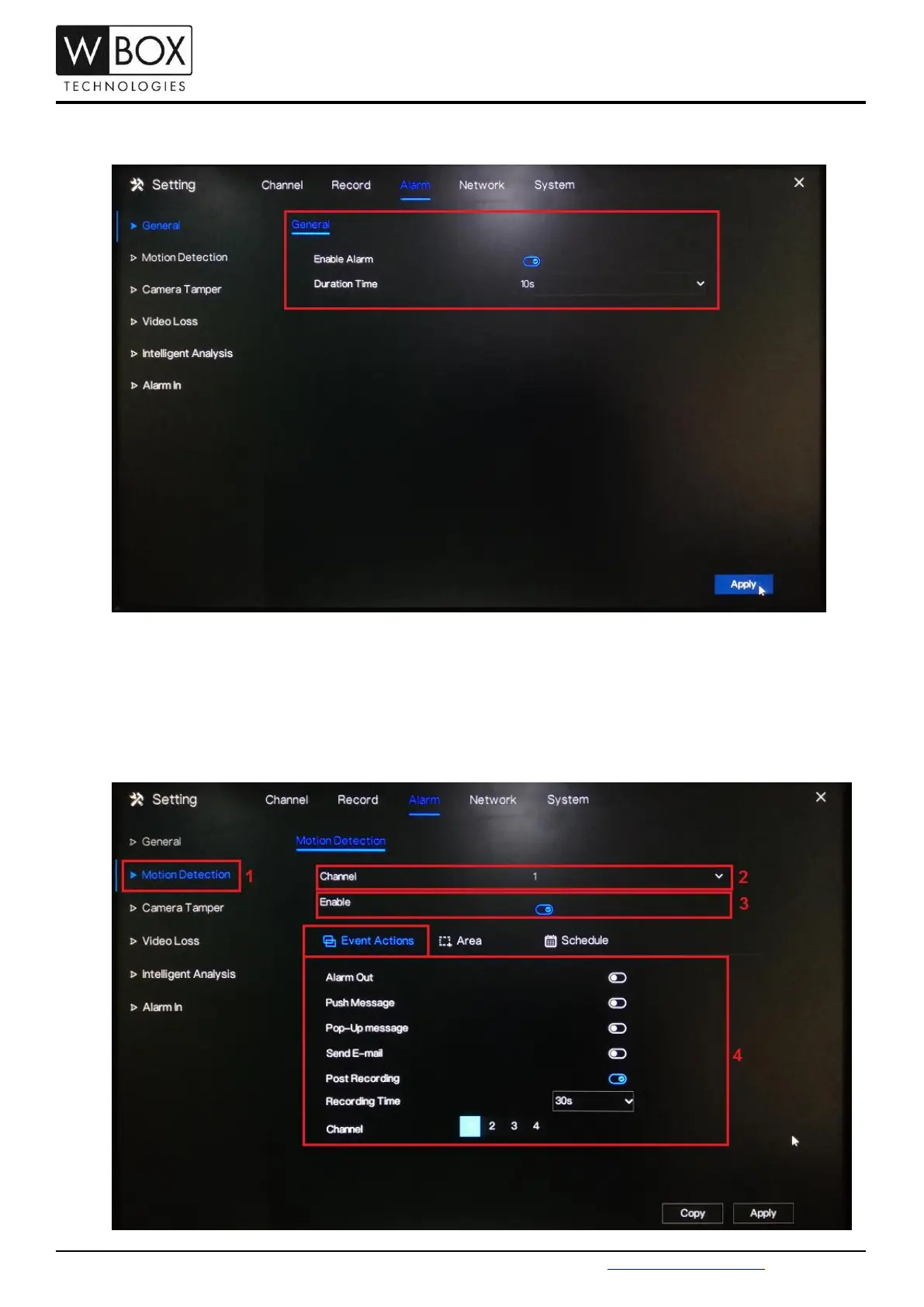
2. Turn on the Enable Alarm option and select a Duration Time from the drop-down list. Click Apply to save
the settings.
3. Go to Motion Detection. Under Channel, select a specific channel you would like to set the motion detection
recording. Turn on the Enable option.
Under Event Actions, turn on the specific action you would like to have if there is a motion detected by the
device. To ensure that the device will record when there is a motion detected; don’t forget to turn on Post
Recording, select a Recording Time and select the corresponding channel under Channel.



 To Next Page