6
Blinking: The receiver is working
properly.
Off: The receiver is not working
properly.
On: HDCP protected content is being
transmitted.
Blinking: Non-HDCP protected content
is being transmitted.
Off: No content is being transmitted.
On: The link between transmitter and
receiver is normal.
Blinking/Off: Link error or no link.
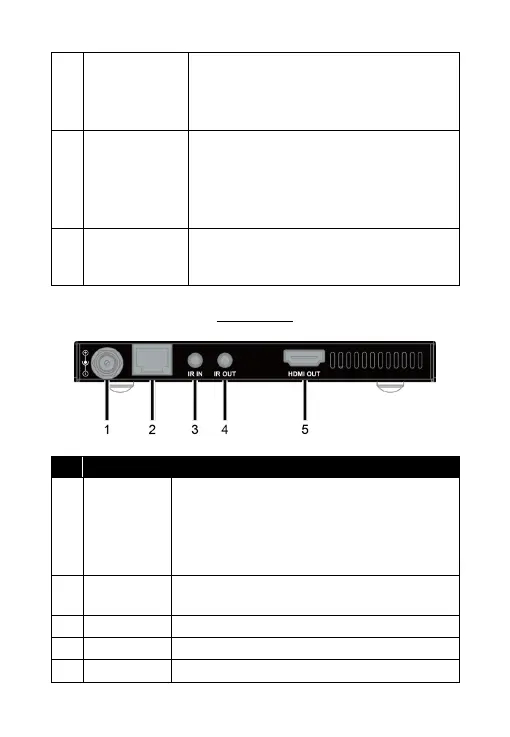
Rear Panel
Connect to the power adapter provided.
Note: Connect the power adapter to either
the transmitter or receiver can power both
units. Only one power adapter is needed
for 0E-HDMIEX4K4.
Connect to the transmitter via a Cat 5e/6/7
cable.
Connect to the IR receiver provided.
Connect to the IR emitter provided.
Connect to an HDMI display device.


 To Next Page