25
4. Export.
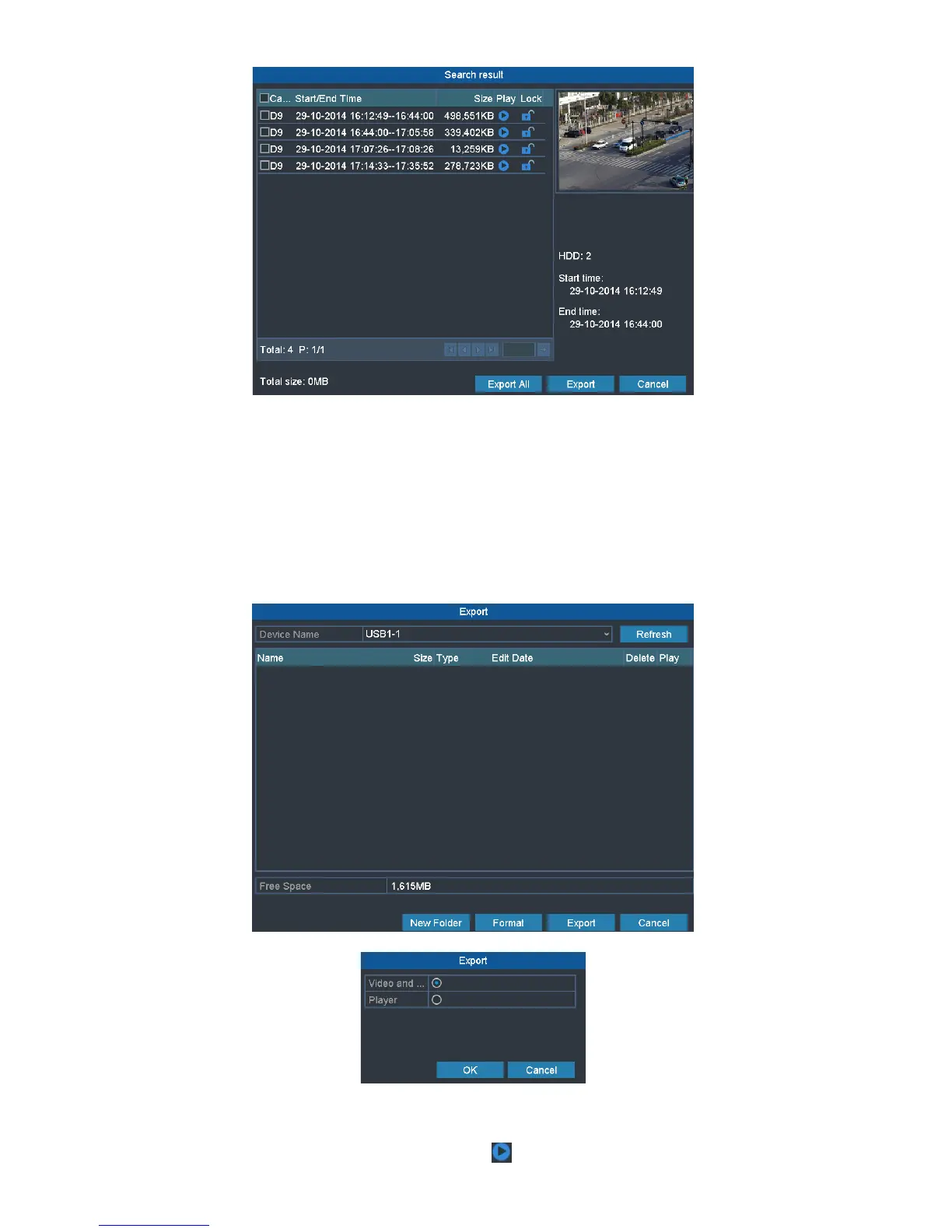
Click Export All button to export all the recording files.
Or you can select recording files you want to back up, and click Export button to enter Export interface.
Note:
If the inserted USB device is not recognized:
• Click the Refresh button.
• Reconnect device.
• Check for compatibility from vendor.
You can also format USB flash drives or USB HDDs via the device.
5. Select file you want to export as Video and log or Player. And click OK to confirm.
Stay in the Exporting interface until all record files are exported with pop-up message box “Export finished”.
6. Check backup result.
Choose the record file in Export interface and click button to check it.


 To Next Page