Need help?
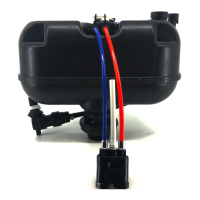
Do you have a question about the WDI Technology ECOFLUSH B8204 and is the answer not in the manual?
First step in installation: turning off the main water supply to the toilet.
Second step: releasing any residual pressure from the system by flushing.
Third step involves carefully removing the existing toilet handle.
Fourth step: detaching the toilet tank from the bowl, noting bolt count.
Fifth step: disconnecting and removing the current ECOFLUSH system.
Sixth step: installing the new ECOFLUSH system, checking hose kinks.
Seventh step: reattaching the tank to the bowl, advising caution on tightening.
Final installation step: turning water on, flushing, and checking for leaks.
 General
| Brand | WDI Technology |
|---|---|
| Model | ECOFLUSH B8204 |
| Category | Plumbing Product |
| Language | English |


 To Next Page