7
MEAT
TASTE
WELL DONE
MEDIUM
MEDIUM
RARE
RARE
Bee
BEEF 170ºF /77ºC
160ºF
/71ºC
145ºF
/63ºC
N/A
Veal
VEAL 170ºF /77ºC
160ºF
/71ºC
145ºF
/63ºC
N/A
Lamb
LAMB 170ºF /77ºC
160ºF
/71ºC
145ºF
/63ºC
N/A
Pork
PORK 170ºF /77ºC
N/A N/A N/A
Chicken
CHICK 165ºF /74ºC
N/A N/A N/A
Turkey
TURKY 165ºF /74ºC
N/A N/A N/A
Fish
F ISH 145ºF /63ºC
N/A N/A N/A
Ground Red Meat
(Hamburger)
HAMBG 160 ºF /71 ºC
N/A N/A N/A
SETTING THE SELECTED FOOD TEMPERATURE
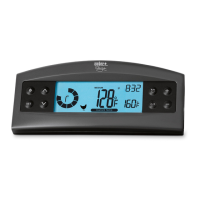
Press “1” (Probe 1) Meat Icons “Flash” to choose Meat by scrolling through the
Icons with Up and Down Arrows.
Press “1” to confirm meat type and Doneness Icons “Flash”, thermometer defaults
to “WELL DONE”, to select other Doneness by scrolling through the Icons with Up
and Down Arrows.
Press “1” to confirm Doneness and Target Temperature “Flash”, use Up/Down
arrows to set your own temperature.
Press “1” to confirm target temperature and exit setting mode of the selected food
temperature.
Follow the same for “2” (Probe 2)
Note: Taste/Doneness will disappear when user change default target
temperature, when user selected the meat again and the setting is confirmed
by press 1 , the screen goes to the taste selection, all selections are flashing,
use Up/Down arrows to call back default temperature (USDA temperature)
.


 To Next Page