EasyManua.ls Logo

weBoost 460066 - User Manual

weBoost 460066
20 pages
Print Icon
To Next Page IconTo Next Page
Loading...
Home Studio / Home Studio Lite
Cell Signal Booster
Installation Guide
A WILSON ELECTRONICS BRAND
Question and Answer IconNeed help?

Do you have a question about the weBoost 460066 and is the answer not in the manual?

Summary

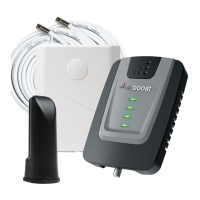
Package Contents

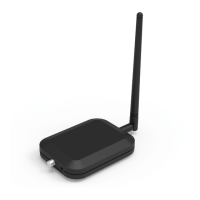
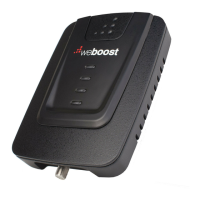
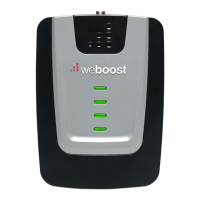
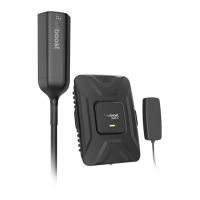
Home Studio;Home Studio Lite Booster & Booster Antenna

Includes the main booster unit and its accompanying internal antenna.

2-30 ft. Cables

Refers to the coaxial cables used for connecting the booster system components.

Outside Antenna & L-Bracket Antenna Mount

Components for the external antenna and its mounting hardware.

Power Supply

The adapter used to provide electrical power to the signal booster.

Installation Steps

STEP 1 Attach Booster Antenna to Booster & Place In Desired Location

Attach the Booster Antenna to the Home Studio/Home Studio Lite Booster and place in room where stronger cell signal is needed.

STEP 2 Mount & Point Outside Antenna Toward Nearest Cell Tower

Pole mounting is preferred as it will be easier to adjust to the direction of the cell tower. Use U-Bolts to attach the Antenna to a pole or exhaust pipe on roof.

STEP 3 Route & Connect Outside Antenna To Booster

Connect the white RG-6 Cable to Outside Antenna and route and connect cable to Home Studio/Home Studio Lite Booster. All connections should be finger tightened only.

STEP 4 Power Up The Booster & Optimize The System

Plug the Power Supply into wall outlet then connect into end of Booster. We strongly recommend using a power strip with surge protection.

Status Light Patterns

Green Light Indicator

Indicates the Home Studio or Home Studio Lite Booster is functioning properly and there are no issues with installation.

Solid Red Light Indicator

Band has shutoff due to a feedback loop condition called oscillation. This is a built-in safety feature.

Blinking Green, Red Light Indicator

Indicates the Booster is operating at a reduced gain to prevent oscillation (feedback). This is a built-in safety feature.

Blinking Green, Yellow Light Indicator

Band has reduced gain due to overload from a nearby cell tower. This is a built-in safety feature.

Solid Yellow Light Indicator

Band has shutoff due to overload from nearby cell tower. Outside Antenna must be adjusted.

Lights Off Indicator

If the Signal Amplifier's light is off, verify your Power Supply has power.

Troubleshooting

Fixing Red Light Issues

Addresses issues related to solid red or blinking green/red light indicators, often caused by connection or distance problems.

Fixing Yellow Light Issues

Addresses issues related to solid yellow or blinking green/yellow light indicators, typically requiring antenna adjustment.

Safety Guidelines

General and RF Safety Precautions

Verify connections, use only provided power supply, and maintain minimum antenna distance from persons.

Consumer Device Registration and Usage

Register the device with your wireless provider and operate it only in a fixed location for in-building use.

Wireless Provider Registration Information

Provides links and information for registering your signal booster with various wireless carriers.

Antenna Information

Home Studio Antenna Gain Specifications

Details maximum permissible antenna gain (dBi) for the Home Studio model across various frequency bands.

Home Studio Lite Antenna Gain Specifications

Details maximum permissible antenna gain (dBi) for the Home Studio Lite model across various frequency bands.

Inside Antenna Details

Specifies coaxial type, length, and antenna type for the inside antenna.

Outside Antenna Details

Specifies coaxial type, length, and antenna type for the outside antenna.

Specifications

Home Studio Cell Signal Booster Specifications

Details model, FCC ID, connectors, impedance, frequency, power output, noise figure, isolation, and power requirements.

Home Studio Lite Cell Signal Booster Specifications

Details model, FCC ID, connectors, impedance, frequency, power output, noise figure, isolation, and power requirements.

Warranty Information

Two Year Limited Warranty

Covers defects in workmanship and materials for two years; repair or replacement options are available.

Warranty Disclaimer

States that weBoost assumes no responsibility for losses arising from the use of provided information or patent infringements.

Overview

The weBoost Home Studio / Home Studio Lite is a cell signal booster designed to improve talk, text, and data rates within a home or building. This system works by capturing existing outside cellular signals, amplifying them, and then rebroadcasting the stronger signal indoors. It is a consumer device intended for fixed, in-building use.

Function Description:

The core function of the weBoost Home Studio / Home Studio Lite is to enhance cellular signal strength. It consists of an Outside Antenna, a Booster Unit (which includes an integrated Booster Antenna), cables, and a Power Supply. The Outside Antenna is mounted externally and pointed towards the nearest cell phone tower to capture weak cellular signals. These signals are then transmitted via cable to the Booster Unit. The Booster Unit amplifies the received signals across various frequency bands (Band 2, 4, 5, 12, 13 for Home Studio; Band 12, 13 for Home Studio Lite) and broadcasts the boosted signal indoors through its integrated Booster Antenna. This process works in reverse as well, amplifying outgoing signals from your cell phone back to the cell tower. The system is designed to operate without altering incoming or outgoing signals, focusing solely on increasing coverage for authorized frequency bands. It includes built-in safety features to prevent harmful interference with nearby cell towers and to ensure FCC compliance.

Usage Features:

The installation process is straightforward, involving four main steps:

  1. Attach Booster Antenna to Booster & Place in Desired Location: The Booster Antenna is integrated into the Home Studio/Home Studio Lite Booster unit. This combined unit should be placed in a room where stronger cell signal is desired.
  2. Mount & Point Outside Antenna Toward Nearest Cell Tower: This is a critical step for optimal performance. Pole mounting is preferred for easier adjustment. The Outside Antenna should be pointed towards the nearest cell phone tower, which can be located using an app like 'Open Signal'. Drip holes on the antenna should be pointed downwards. Side mounting is also an option if a strong signal can still be obtained.
  3. Route & Connect Outside Antenna To Booster: A white RG-6 cable connects the Outside Antenna to the Booster Unit. All connections should be finger-tightened only.
  4. Power Up The Booster & Optimize The System: After connecting all components, the Power Supply is plugged into a wall outlet and then into the Booster. It is strongly recommended to use a power strip with surge protection. Once powered, the system can be optimized by rotating the Outside Antenna in 1/8 turn increments. After each rotation, the Booster should be unplugged and reconnected to power, and the signal level on a cell phone within the Inside Antenna's projected area should be observed. This iterative process helps determine the direction that yields the strongest signal, after which the Outside Antenna should be secured. The manual provides a guide for expected boosted cell signal coverage based on the strength of the outside signal (Strong, Good, Weak, None).

The Booster Unit features status lights on its top surface, which provide visual feedback on the system's operation:

  • GREEN: Indicates the Booster is functioning properly with no installation issues.
  • SOLID RED: Signifies that a band has shut off due to a feedback loop condition (oscillation). This is a safety feature to prevent harmful interference. Troubleshooting involves tightening cable connections and increasing the distance between the Outside and Inside Antennas.
  • BLINKING GREEN, RED: Indicates the Booster is operating at a reduced gain to prevent oscillation. If desired signal boost is already achieved, no further adjustments are needed. Otherwise, refer to troubleshooting.
  • BLINKING GREEN, YELLOW: Shows that a band has reduced power due to overload from a nearby cell tower. If desired signal boost is already achieved, no further adjustments are needed. Otherwise, refer to troubleshooting.
  • SOLID YELLOW: Means a band has shut off due to overload from a nearby cell tower, requiring adjustment of the Outside Antenna.
  • LIGHTS OFF: Suggests a power issue, and the Power Supply connection should be verified.

Maintenance Features:

The weBoost Home Studio / Home Studio Lite is designed for minimal user maintenance. The primary "maintenance" involves troubleshooting and optimizing the system during installation or if performance degrades.

  • Troubleshooting Red Light Issues (Solid Red & Blinking Green/Red): This typically involves ensuring all cable connections are hand-tightened and increasing the physical separation (horizontally or vertically) between the Outside and Inside Antennas. Additional cable can be used if needed. Unplugging and replugging the power supply is often part of the reset process.
  • Troubleshooting Yellow Light Issues (Solid Yellow & Blinking Green/Yellow): These issues usually require adjusting the Outside Antenna. For pole mount options, rotating the antenna away from the strongest cellular signal in small increments (1/8 turn) until the light turns green is recommended. For side mounting, changing the mount location to see if the lights turn green is suggested. After each adjustment, power should be disconnected and reconnected, with a 10-second wait for the lights to reset.
  • Automatic Safety Features: The Booster incorporates automatic gain reduction and shut-off mechanisms. If a signal is too high in a frequency band or if oscillation is detected, the Booster will automatically reduce gain or turn off power on that band to prevent interference. After a minimum of 1 minute, normal operation resumes. If automatic restarts occur five times, problematic bands are permanently shut off until the Booster is manually restarted by removing and reapplying power. These features are managed by the Booster's microprocessor, ensuring compliance and protection without constant user intervention.
  • Warranty: The product comes with a two-year warranty against defects in workmanship and materials, handled either through the reseller or directly with weBoost via a Returned Material Authorization (RMA) number. This covers repair or replacement, but not misuse, abuse, neglect, or mishandling.

The device is a "CONSUMER device" and requires registration with the user's wireless provider. It is crucial to use only the provided Power Supply and ensure antennas are installed at least 8 inches (20 cm) from any person. The Outside Antenna must not be installed higher than 31 feet 9 inches above ground to comply with AWS warning.

weBoost 460066 Specifications

General IconGeneral
Model Number460066
TypeCell Phone Signal Booster
Power SourceAC
Power12V
Compatible CarriersAT&T, T-Mobile, Verizon, Sprint, US Cellular
Frequency Bands700MHz, 800MHz, 1700MHz, 1900MHz, 2100MHz

Related product manuals