
 Need help?
Do you have a question about the weBoost DRIVE 4G-X and is the answer not in the manual?
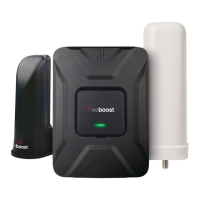
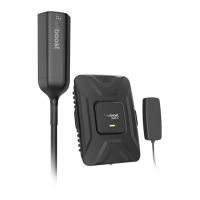
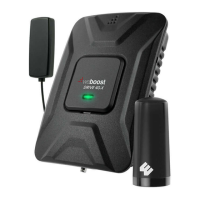
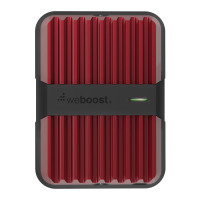
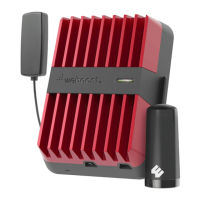
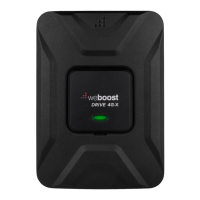
The weBoost Drive 4G-X is a vehicle signal booster kit designed to enhance cellular signal strength within a vehicle, improving call quality, data speeds, and overall connectivity. This device is part of the weBoost product line, a brand under Wilson Electronics, known for its signal boosting solutions. The kit includes a booster unit, an outside magnetic antenna, an inside antenna, and a power supply, along with an optional adhesive disk for aluminum vehicles.
The primary function of the Drive 4G-X is to capture existing weak cellular signals from outside the vehicle, amplify them, and then rebroadcast the stronger signal inside the vehicle. This process works in reverse as well, taking the amplified signal from your cellular device, sending it to the booster, amplifying it, and then sending it back to the cell tower. This bi-directional amplification ensures that both incoming and outgoing signals are strengthened, providing a more reliable connection.
Installation of the Drive 4G-X is a straightforward, multi-step process. The first step involves mounting the outside magnetic antenna on the top of the vehicle. For optimal performance, the antenna should be placed near the center of the roof, at least 12 inches away from any other antennas, and at least 6 inches away from windows (including sunroofs). Before placement, the surface should be cleaned. For vehicles with aluminum roofs, an included adhesive disk can be used to secure the antenna. The cable from the outside antenna is designed to be routed into the vehicle without damage, even when shut in most vehicle doors. Routing options vary by vehicle type: for cars/sedans, the cable is typically routed into the rear side door; for SUVs/vans/hatchbacks, it can be routed into the top of the hatchback door; and for trucks, it goes into the side door. It's important to remember to remove the outside antenna when going through a car wash to prevent damage.
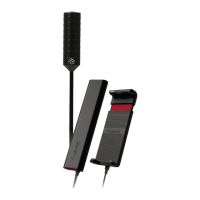
The second step is to mount the inside antenna. This 4G In-Vehicle Antenna can be placed on the side of a seat or on the dash. The crucial aspect here is its proximity to where the cellular device will be used. The antenna should be positioned at least 18 inches but no more than 36 inches from the cellular device. A Velcro® adhesive strip is provided for secure attachment to the desired location.
Once both antennas are mounted, the next step is to connect the coax cables to the booster unit. The cable from the outside antenna connects to the port labeled “Outside Antenna” on the Drive 4G-X booster, while the cable from the inside antenna connects to the port labeled “Inside Antenna.” The booster unit itself comes with a bracket, which can be used to fasten it in a specific location within the vehicle if desired, ensuring it's securely mounted.
The final connection involves the power supply. The power supply cord connects to the end of the Drive 4G-X labeled "Power." It's critical to ensure that both the inside and outside antennas are connected to the booster before connecting the power supply. Once all connections are made, the power adapter is plugged into the vehicle's 12V DC power supply. The booster is then powered up by flipping the switch on the back of the DC power adapter. A successful power-up is indicated by a red light on the power adapter and a green light on the booster, signifying that the system is working correctly.
The Drive 4G-X features a light pattern system on the booster unit to indicate its operational status and potential issues. A "Solid Green" light means the booster is functioning properly with no installation issues. A "Blinking Red, Then Solid Green" light indicates that one or more booster bands have reduced power due to a feedback loop condition called oscillation. This is a built-in safety feature to prevent harmful interference with nearby cell towers. If the desired signal boost is already achieved, no further adjustments are needed. However, if not, troubleshooting is required. A "Solid Red" light signifies a persistent feedback loop (oscillation) that has caused a band to shut off completely to prevent interference. In this case, troubleshooting is definitely necessary. If the light is "Off," it means the booster is not receiving power, and the power supply connection should be checked.
Troubleshooting for blinking or solid red issues primarily involves increasing the separation distance between the inside and outside antennas. This is because antennas connected to a booster create signal spheres, and when these spheres overlap, oscillation occurs, which the booster interprets as noise and scales down its power or shuts down to prevent damage. The steps for troubleshooting include unplugging the booster's power supply, relocating the inside and outside antennas further from each other to increase separation, and then plugging the power supply back in. The indicator light should then be monitored. If the red light reappears, these steps should be repeated, increasing the separation until the condition is corrected and the desired coverage area is achieved. Horizontal separation typically requires less distance than perpendicular separation. The booster can be reset by disconnecting and reconnecting the power supply. After any troubleshooting, a new power cycle (disconnecting and reconnecting power) is required.
The Drive 4G-X is a consumer device, and users are required to register it with their wireless provider and obtain consent for its use. Most wireless providers consent to signal booster use, but it's advisable to confirm with your specific provider. In Canada, users must meet all requirements outlined in ISED CPC-2-1-05, including using approved antennas and cables and ensuring antennas are installed at least 20 cm (8 inches) from any person. Operation must cease immediately if requested by the FCC (or ISED in Canada) or a licensed wireless service provider. An important safety warning notes that E911 location information may not be provided or may be inaccurate for calls served by using this device. Any antenna used with the device must be located at least 8 inches from all persons. The booster unit is designed for indoor, temperature-controlled environments (less than 150 degrees Fahrenheit) and should not be used in attics or similar locations with excessive temperatures. Connecting the signal booster directly to a cell phone with an adapter will damage the cell phone.
Maintenance for the Drive 4G-X is minimal. The device is designed to be robust and self-regulating. Its microprocessor maintains noise power, gain, and linearity. If the booster is not in use for five minutes, it will reduce gain until a signal is detected. If a signal is too high or oscillation is detected, the booster will automatically turn power off on that band and resume normal operation after a minimum of 1 minute. After five such automatic restarts, problematic bands are permanently shut off until the booster is manually restarted by removing power. This automatic regulation helps protect the device and ensures compliance with regulatory standards. The device is covered by a two-year warranty against defects in workmanship and materials, with options for repair or replacement through the reseller or manufacturer. Misuse, abuse, neglect, or mishandling that damages the device's physical or electronic properties will void the warranty. Replacement products may include refurbished weBoost products that meet specifications.


 To Next Page
 General