7
ENGLISH
(Status Light Patterns cont.)
already experiencing the desired signal boost, then no further adjustments are
necessary. If you are not experiencing the desired boost in coverage then refer to the
Troubleshooting section.
BLINKING GREEN, YELLOW
This indicates that one or more of the Booster bands has reduced gain due to overload
from nearby cell tower. This is a built in safety feature to prevent harmful interference
with a nearby cell tower. If you are already experiencing the desired signal boost, then
no further adjustments are necessary. If you are not experiencing the desired boost in
coverage then refer to the Troubleshooting section.
SOLID YELLOW
Band has shuto due to overload from nearby cell tower. Outside Antenna must be
adjusted. Refer to Troubleshooting section.
LIGHTS OFF
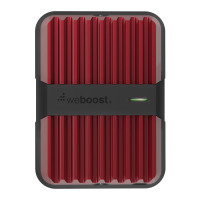
If the Signal Booster’s light is o, verify your Power Supply has power.




 To Next Page