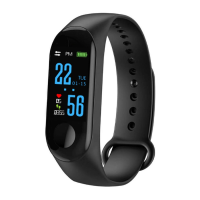
Long press the touch button to turn on your device.
Go to the "Others" interface and scroll to the "Power off" interface. Long press to
turn off your device.
When your screen goes to sleep, press the touch button to unlock your device.
The screen also unlocks when you turn your watch towards you.
Check that this feature is enabled in the settings of iBAND application.
When your device is off, press the touch button for 5sec to turn it on.
The pedometer allows you to see how many steps you have made in the day. The
graph allows you to see the distribution of your steps every hour.
1 click: Switch interface
1 long press: Enter the interface
1 long press can also exit the interface in which you entered.
To start calculating the cardiac frequency, stay on the corresponding interface for
2 seconds. The calculation starts automatically. Keep touching the touch button
to stop the analysis.


 To Next Page