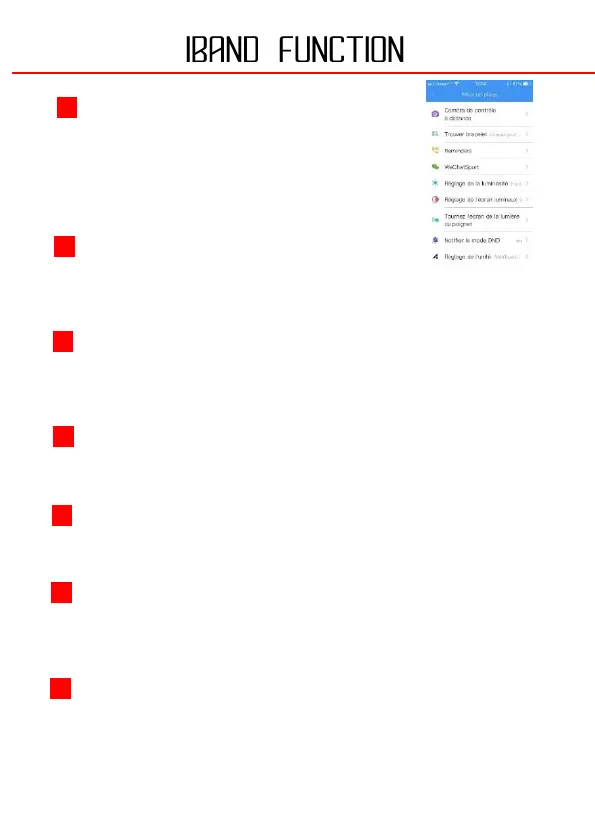
Open this interface to open the camera of your
smartphone. Tap your connected watch to take a
photo. The photo will be automatically saved in
your album.
By pressing this function, your watch will vibrate until you press the touch
button on the watch.
By pressing this function, you can select the applications for which you want to
receive notifications on your watch.
You can adjust the brightness of your connected watch.
You can set the sleep time of your watch.
SETTING THE LUMINOUS SCREEN
When you activate this function, your watch unlocks when you make a
movement with your grip.
This mode allows you to put your watch in "Do not disturb" mode. You can set
a time range for this function.


 To Next Page