Need help?
Do you have a question about the WEGE WZ3605 and is the answer not in the manual?
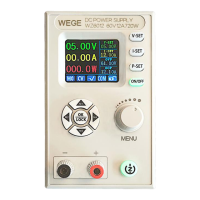
Details the controls, buttons, and display on the power supply's front panel.
Describes the rear panel connections and ports, including input and output terminals.
Explains the primary interface screens for data display and statistics monitoring.
Details on using the power supply's various functions, settings, and modes.
How to set output voltage, current, and protection limits via the main interface.
Instructions for saving and recalling frequently used settings using shortcut functions.
Procedure for locking and unlocking the device's keypad to prevent unintended operations.
Guide to adjusting the scale and grid settings on the curve display interface.
Configuration options for system parameters like display, language, and communication.
Essential notes and considerations for installing the mobile APP on an Android device.
Information on how to check for and perform updates for the mobile application.
Overview of the mobile APP's graphical user interface and screen layout.
Detailed view of the APP's main screen after a successful connection to the power supply.
How to navigate the APP to select a device address and view the main interface.
Instructions on selecting how to open stored data files from the mobile APP.
Steps to configure the WZ3605 for Wi-Fi communication to enable APP connectivity.
A step-by-step tutorial for setting up the Wi-Fi connection via the APP's network configuration.
 General
| Brand | WEGE |
|---|---|
| Model | WZ3605 |
| Category | Power Supply |
| Language | English |

 To Next Page