Need help?
Do you have a question about the WEGE WZ6012 and is the answer not in the manual?
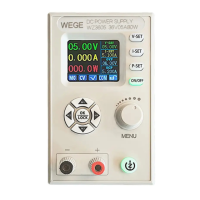
Details the components and functions of the front panel.
Details the components and functions of the rear panel.
Discusses power input requirements and optional communication modules.
Explains the initial power-on sequence and main interface display.
General instructions for menu navigation and interface operation.
Details how to set voltage, current, and protection parameters on the main interface.
Explains how to save and load settings using shortcut keys.
Describes how to lock and unlock the device's keypad.
How to adjust the scale on the curve display interface.
Details how to configure system settings like display, language, and communication.
Instructions for downloading and installing the mobile APP using a QR code.
Important considerations during the APP installation process, including permissions.
How the APP checks for and notifies about software updates.
Overview of the main interface of the mobile APP after startup.
Shows the APP interface after selecting "Slave address" for device configuration.
Describes how to select an application to open stored data from the APP.
Step-by-step guide to setting the WZ6012 to WIFI mode.
Step-by-step guide for the intelligent network distribution (pairing) process.
Details on connecting the device and using the PC software for configuration.
Lists communication commands, registers, and their content.
Lists communication commands, registers, and their content.
 General
| Brand | WEGE |
|---|---|
| Model | WZ6012 |
| Category | Power Supply |
| Language | English |

 To Next Page