#: Save current settings (serial, C, L, R and D) as startup defaults. This is particularly useful when you
want to persist the settings for the auxiliary serial output.
ESC: Resume receiving AIS messages.
Other options:
N: Keep pressed to get an idea of the current noise level. -120 to -100 dBm is normal. dAISy will only be
able to receive valid packets roughly 15 dBm above that level, consistent reception 25+ dBm above
noise.
V: If valid packages were received, this gives a summary of the signal strength at which they arrived
(min, max, average).
T: Enter test mode. In this mode, dAISy outputs a test message every 5 seconds. You can enter your own
message or have it output a preprogrammed AIS message. This mode is useful when you want to test
dAISy but don’t have AIS reception at your current location. You can exit test mode by pressing ESC or
power-cycling dAISy.
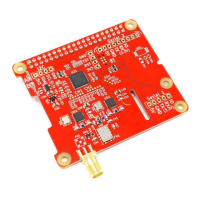
C: Configure receiving channel. The dAISy HAT has two radios, which by default are configured to listen
on channel A and B respectively. For experimental purposes, the channel assignment of the radios can
be changed to A/A, B/B, A/B or B/A. The recommended setting is A/B.
R: Turn RSSI Detect on or off. When RSSI detect is on, dAISy will ignore signals that are too weak for
reliable communication. This may increase the number of local messages received, but it will also reduce
the maximum range. The recommended setting is OFF.
L: Turn Low Power Mode on or off: In low power mode, the CPU of dAISy will be powered down when
idle. This will reduce power consumption by about 10-15%. As this is insignificant in typical applications,
the recommended setting is OFF.
B: Enter boot loader mode for firmware updates. dAISy only exits this mode through power-cycling or
after completing firmware upgrade. Check our website for the latest firmware updates.


 To Next Page