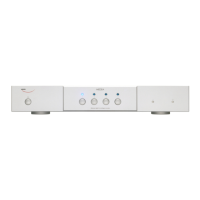
OWNERS MANUAL FOR WEISS MEDEA D/A CONVERTER
Page: 17 Date: 12/01 /dw
Input Source Connection, Selection and Synchronization
Connect sources with sampling frequencies of 44.1 or 48 or 88.2 or 96kHz to the input connectors
at the back of the unit. Note that there are a total of four inputs. The following connectors are
available:
Input # 1: one XLR and one RCA connector (use either XLR or RCA at a time, i.e. you may connect
two sources simultaneously, but only one source unit must be switched on at a time).
Input # 2: The same as Input # 1 applies here.
Input # 3: The same as Input # 1 applies here.
Input # 4: one TOSLINK (optical) and one RCA connector (use either TOSLINK or RCA at a time,
i.e. you may connect two sources simultaneously, but only one source unit must be switched on at
a time).
The input source pushbuttons correspond to the four inputs as described above.
If a valid AES/EBU or S/PDIF formatted signal is present at the selected input, the blue LED stays
lit. If the format and/or the sampling frequency is not valid, the blue LED is blinking. In that case
the analog outputs are muted.
A 176.4kHz or 192kHz source must be connected to Input # 1 (left) and Input #2 (right)
corresponding to the two wire scheme. The Medea automatically detects whenever such a source is
connected to inputs #1 and #2 and switches to the appropriate conversion mode. In that mode
both LEDs of input #1 and #2 are lit.
The MEDEA automatically synchronizes to the incoming signal. If the sampling rate of the signal is
not within a range of +- 80ppm of one of the nominal sampling rates (44.1, 48, 88.2, 96, 172.4,
192kHz) then the blue LED of the active input is blinking. The analog outputs are muted in that
case.
The states of all buttons are stored in non-volatile memory, i.e. the actual input selection is
retained when powering the unit off.


 To Next Page