Controls and Features
4 Rev 80002-20080228
Controls and Features
Read this owner’s manual before operating your welder. Familiarize yourself with the location
and function of the controls and features. Save this manual for future reference.
MIG/Flux Welder
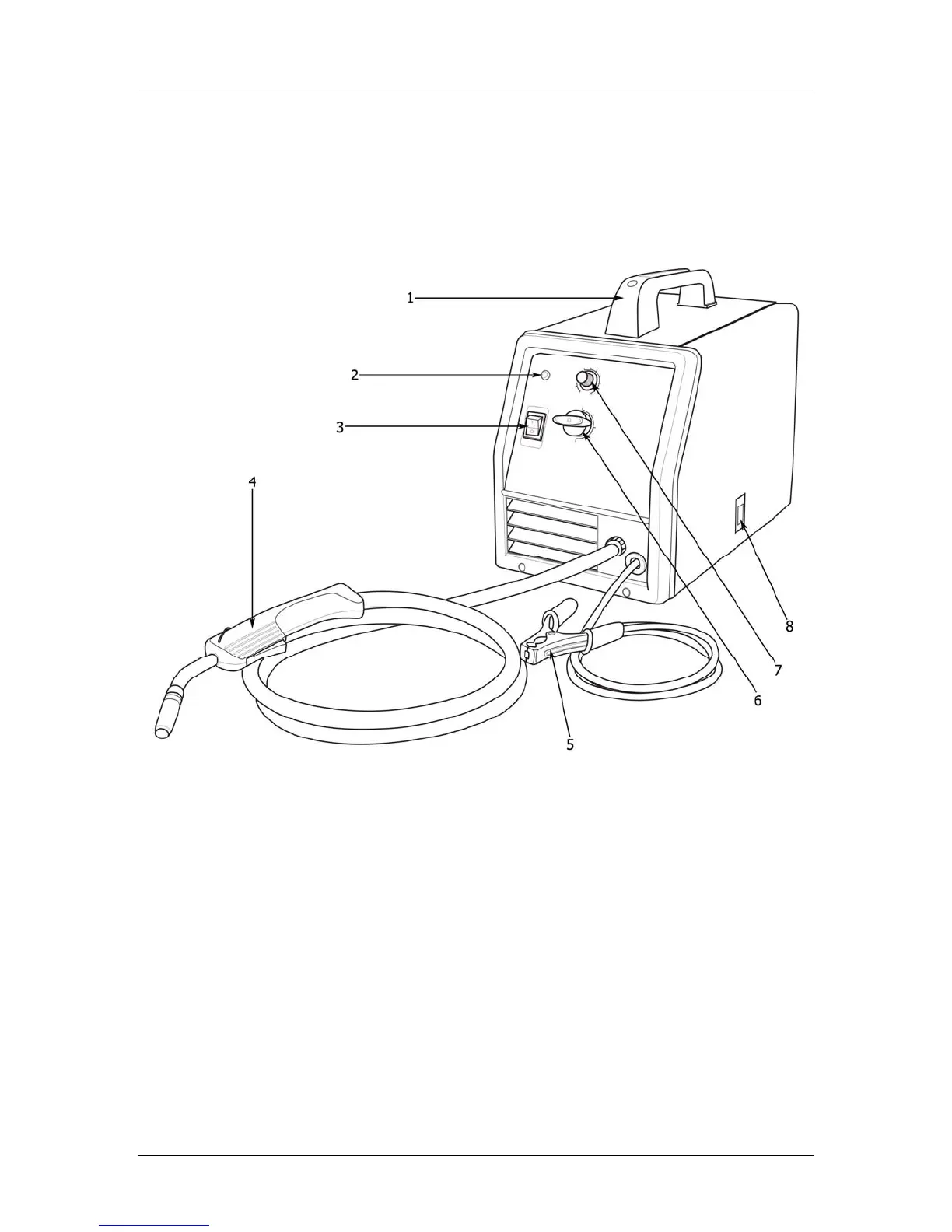
Carrying handle (1)
Thermal Overload indicator (2) – Allow
welder to cool, reduce duty cycle.
On/Off switch (3) – Power On, Power Off.
MIG Welding Gun (4) – Wire fed torch
handle.
Ground Clamp (5) – “Work Clamp”, grip
workpiece to complete circuit.
Amperage control (6) – Dial adjustment,
from 26amps to 90amps.
Wire feed speed control (7) – Turn dial
adjustment wire feed speed.
Access Door (8) – Swing open this panel
to load/adjust wire spool.



 To Next Page