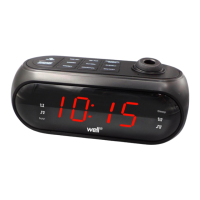
To set alarm time, select alarm 1 or 2 , with buzzer or with radio. While the digits are flashing,
1. Press “HOUR TU -” button (2) repeatedly to change the ‘hour’ setting.
2. Press “MIN TU +” button (3) repeatedly to change the ‘minute’ setting.
3. Press “AL1 VOL -“ button (5) or “AL2 VOL +” button (6) to confirm at the time and the display will
stop flashing.
To turn on alarm, press “AL1 VOL -“ button (5) or “AL2 VOL +” button (6) until desired alarm is on. Signals
(11), (12), (13), or (14) will be lit and will indicate alarm choice. Digits will stop flashing momentarily.
When the alarm goes off, press “ON/OFF FM/AM” button (1) to turn off alarm sound. Or press “DIMMER
HI/LOW SLEEP/SNOOZE” button (4). Alarm indicators will blink during snooze mode. Alarm will sound
again after 9 minutes and alarm indicators will stop blinking.
To turn off alarm, press “AL1 VOL -“ button (5) or “AL2 VOL +” button (6) until signals (11), (12), (13), or
(14) is no longer lit. Digits will stop flashing momentarily.
RADIO OPERATIONS
General Operations
1. Press “ON/OFF ” button (1) once to turn radio on.
2. Press and hold down “ON/OFF ” button (1) for approximately 3 seconds to turn radio off.
3. Press “MIN TU +” button (3) or “HOUR TU -” button (2) once to tune the radio stations at 0.1mHz
increments.
4. Press and hold down “MIN TU +” button (3) or “HOUR TU -” button (2) for approximately 3 seconds
to automatically scan for the next radio station.
5. Press “AL1 VOL -“ button (5) or “AL2 VOL +” button (6) to adjust volume level. The display changes
to show the volume level indication (00 to 15). 00 is the quietest and 15 is the loudest.
6. Extend and reposition the antenna (9) for better radio reception.
Pre-set Station Memory
1. The radio can store up to 10 stations.
2. To store a station in memory, tune to the desired radio station. Press and hold down “SET/PRE
M+” button (7) for approximately 2 seconds and a number starting with “P” on the display will
flash.
3. Press “MIN TU +” button (3) or “HOUR TU -” button (2) repeatedly to the desired memory station.
Then press “SET/PRE M+” button (7) once to confirm.
4. To recall the station, press “SET/PRE M+” button (7) until desired station is reached.


 To Next Page
 Loading...