EasyManua.ls Logo

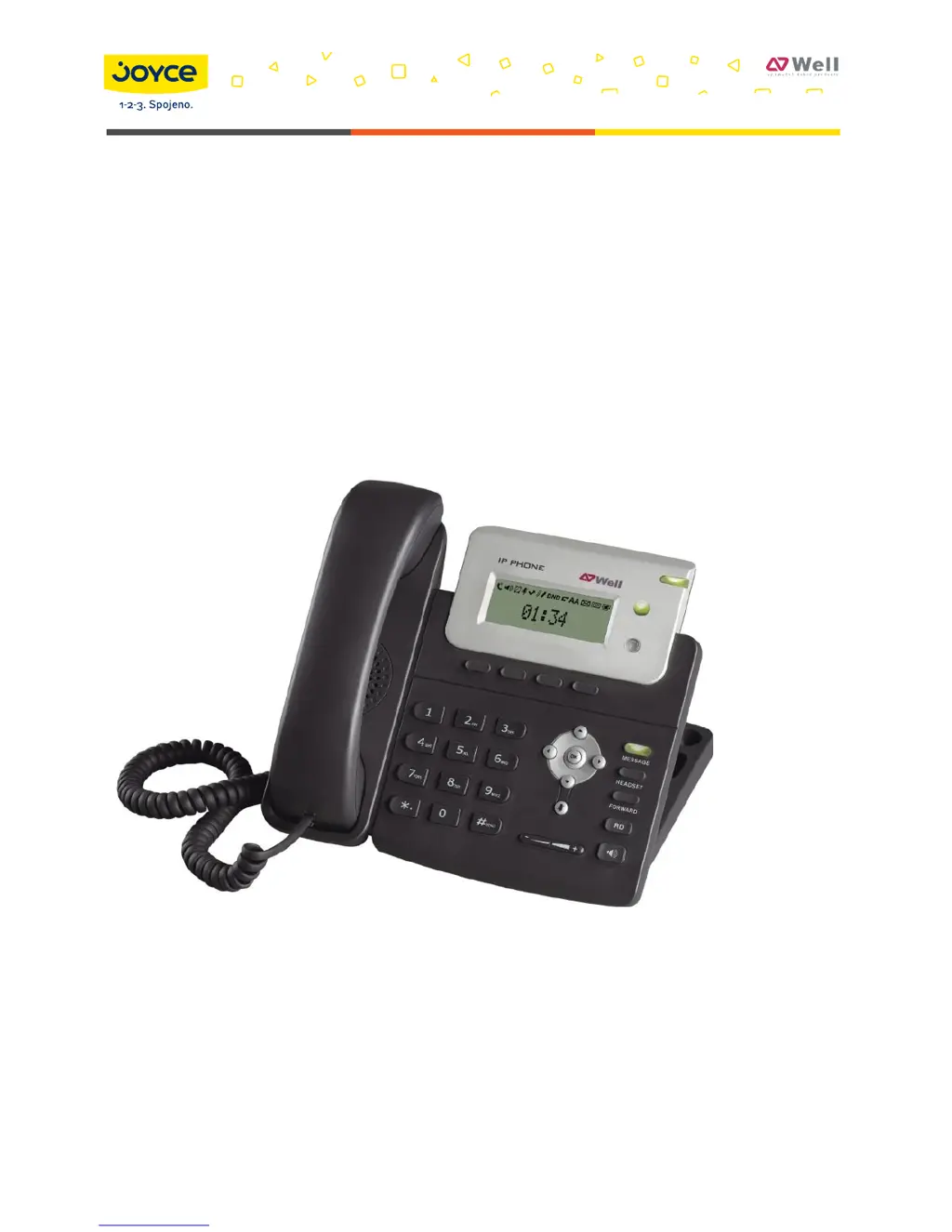
Well SIP-T20 - User Manual

Well SIP-T20
89 pages
Print Icon
To Next Page IconTo Next Page
Loading...
JOYCE ČR, s.r.o., Venhudova 6, 614 00 Brno, ČR, IČ: 25317571, DIČ: CZ25317571, Tel.: +420 539 088 010
Fax: +420 539 088 000, E-mail: joyce@joyce.cz, Web: www.joyce.cz, www.joyce-energie.cz
Released for firmware versions V61
WELL SIP-T20/T20P User manual

Table of Contents

Questions and Answers

Summary

About This Guide

Declaration of Conformity

Describes compliance with CE and FCC requirements.

CE Mark Warning

Warns about potential radio interference as a Class B device.

WEEE Warning

Explains the meaning of the WEEE symbol for proper disposal.

Getting Started

Packing List

Lists all the components included in the phone package for setup.

Assembling the Phone

Provides step-by-step instructions for physically setting up the phone.

Configuration and Registration

Details the process of initial setup and registering the phone.

Overview

Keypad Instruction

Explains the function of each key on the phone's keypad.

LED Instruction

Describes the status indicated by different LED lights on the phone.

Icon Instruction

Explains the meaning of various icons displayed on the phone's LCD screen.

User Interface

Outlines the ways to interact with and customize phone settings.

Customizing Your Phone

General Settings

Covers basic phone configurations like language, time, and date.

Audio Settings

Allows adjustment of volume, ring tones, and audio codecs.

Contact Management

Features for managing contacts, including local directory and blacklist.

Other Settings

Covers various configurable options like Key as Send and Hot Line.

Basic Call Functions

Making a call

Explains the methods and devices for initiating a phone call.

Answering a call

Details how to accept incoming calls using handset, speaker, or headset.

DND

Configuration for the Do Not Disturb (DND) feature to reject calls.

Call Forward

Settings for forwarding incoming calls to another number or voicemail.

Advanced Phone Functions

Account Setting

Covers basic and advanced configuration for SIP accounts.

TLS

Configuration for secure communication using Transport Layer Security.

LLDP

Configuration for Link Layer Discovery Protocol for network device advertising.

HTTPS

Configuration for secure web access using HTTPS protocol.

Maintenance Tasks

Includes operations like rebooting, resetting, and firmware updates.

DNS-SRV

Configuration for using DNS Service Records for server connection.

Network Setting

Configures general network parameters like IP address and DHCP.

VLAN Setting

Configuration for Virtual Local Area Network settings.

Firmware Update

Procedures for updating the phone's firmware.

DSS keys Configuration

Customizes the programmable DSS keys for various functions.

Trouble Shooting

I can not register to the server?

Steps to resolve issues with server registration.

I cant get the IP address?

Troubleshooting steps for obtaining an IP address.

During a call, I can not hear any voice?

Solutions for no audio during a call.

Have DTMF problem?

Troubleshooting steps for DTMF signal issues.

How to update the firmware?

Guide on updating the phone's firmware.

Summary

About This Guide

Declaration of Conformity

Describes compliance with CE and FCC requirements.

CE Mark Warning

Warns about potential radio interference as a Class B device.

WEEE Warning

Explains the meaning of the WEEE symbol for proper disposal.

Getting Started

Packing List

Lists all the components included in the phone package for setup.

Assembling the Phone

Provides step-by-step instructions for physically setting up the phone.

Configuration and Registration

Details the process of initial setup and registering the phone.

Overview

Keypad Instruction

Explains the function of each key on the phone's keypad.

LED Instruction

Describes the status indicated by different LED lights on the phone.

Icon Instruction

Explains the meaning of various icons displayed on the phone's LCD screen.

User Interface

Outlines the ways to interact with and customize phone settings.

Customizing Your Phone

General Settings

Covers basic phone configurations like language, time, and date.

Audio Settings

Allows adjustment of volume, ring tones, and audio codecs.

Contact Management

Features for managing contacts, including local directory and blacklist.

Other Settings

Covers various configurable options like Key as Send and Hot Line.

Basic Call Functions

Making a call

Explains the methods and devices for initiating a phone call.

Answering a call

Details how to accept incoming calls using handset, speaker, or headset.

DND

Configuration for the Do Not Disturb (DND) feature to reject calls.

Call Forward

Settings for forwarding incoming calls to another number or voicemail.

Advanced Phone Functions

Account Setting

Covers basic and advanced configuration for SIP accounts.

TLS

Configuration for secure communication using Transport Layer Security.

LLDP

Configuration for Link Layer Discovery Protocol for network device advertising.

HTTPS

Configuration for secure web access using HTTPS protocol.

Maintenance Tasks

Includes operations like rebooting, resetting, and firmware updates.

DNS-SRV

Configuration for using DNS Service Records for server connection.

Network Setting

Configures general network parameters like IP address and DHCP.

VLAN Setting

Configuration for Virtual Local Area Network settings.

Firmware Update

Procedures for updating the phone's firmware.

DSS keys Configuration

Customizes the programmable DSS keys for various functions.

Trouble Shooting

I can not register to the server?

Steps to resolve issues with server registration.

I cant get the IP address?

Troubleshooting steps for obtaining an IP address.

During a call, I can not hear any voice?

Solutions for no audio during a call.

Have DTMF problem?

Troubleshooting steps for DTMF signal issues.

How to update the firmware?

Guide on updating the phone's firmware.

Well SIP-T20 Specifications

General IconGeneral
SIP Accounts2
Operating Conditions0°C to 40°C, 10% to 90% humidity
ProtocolsSIP
Display132x64
Ethernet Ports2
PoEYes
Headset Port3.5mm
Voice CodecsG.711, G.729, G.722, iLBC
Power Supply5V DC, 1A
Dimensions200mm x 180mm x 50mm

Related product manuals