OWNERS MANUAL FOR WEISS JASON CD TRANSPORT
Page: 19 Date: 10/04 /dw
• D/A operates up to 88.2kHz, not at 176.4:
Use ouput 1, 2, 3, 4 or 5. Output 1 is the dual wire output. Use this only if your D/A converter is
designed to accept a dual wire signal. On the remote control set the sampling rate to 44.1kHz or
88.2kHz and the output wordlength to the maximum number of bits your D/A converter is capable
to convert. E.g. if it is designated to be a "20 Bit converter" then set the output wordlength to 20
bits. You may experiment with the sampling rate, maybe you prefer the sound of one over the
other.
• D/A operates up 176.4kHz:
Use ouput 1, 2, 3, 4 or 5. Output 1 is the dual wire output. Use this only if your D/A converter is
designed to accept a dual wire signal. On the remote control set the sampling rate to 44.1kHz or
88.2kHz or 176.4kHz and the output wordlength to the maximum number of bits your D/A
converter is capable to convert. E.g. if it is designated to be a "20 Bit converter" then set the
output wordlength to 20 bits. You may experiment with the sampling rate, maybe you prefer the
sound of one over the others.
First time power-up
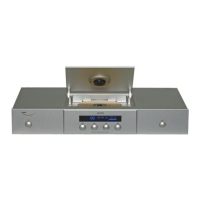
After powering the unit, the JASON tries to read in a CD, but because there is no CD present it will
show the message "no disc". Press the eject switch to open the lid. Now insert a CD, data surface
down and press the eject switch again. The lid closes and the table of contents (TOC) of the CD is
read. This takes a short while. After the TOC has been read press "play". The operation of the five
switches on the frontpanel is straightforward. The skip forwards / backwards keys have a double
function: When pressed and held down, the search forwards / backwards mode is engaged.


 To Next Page