OWNERS MANUAL FOR WEISS JASON CD TRANSPORT
Page: 20 Date: 10/04 /dw
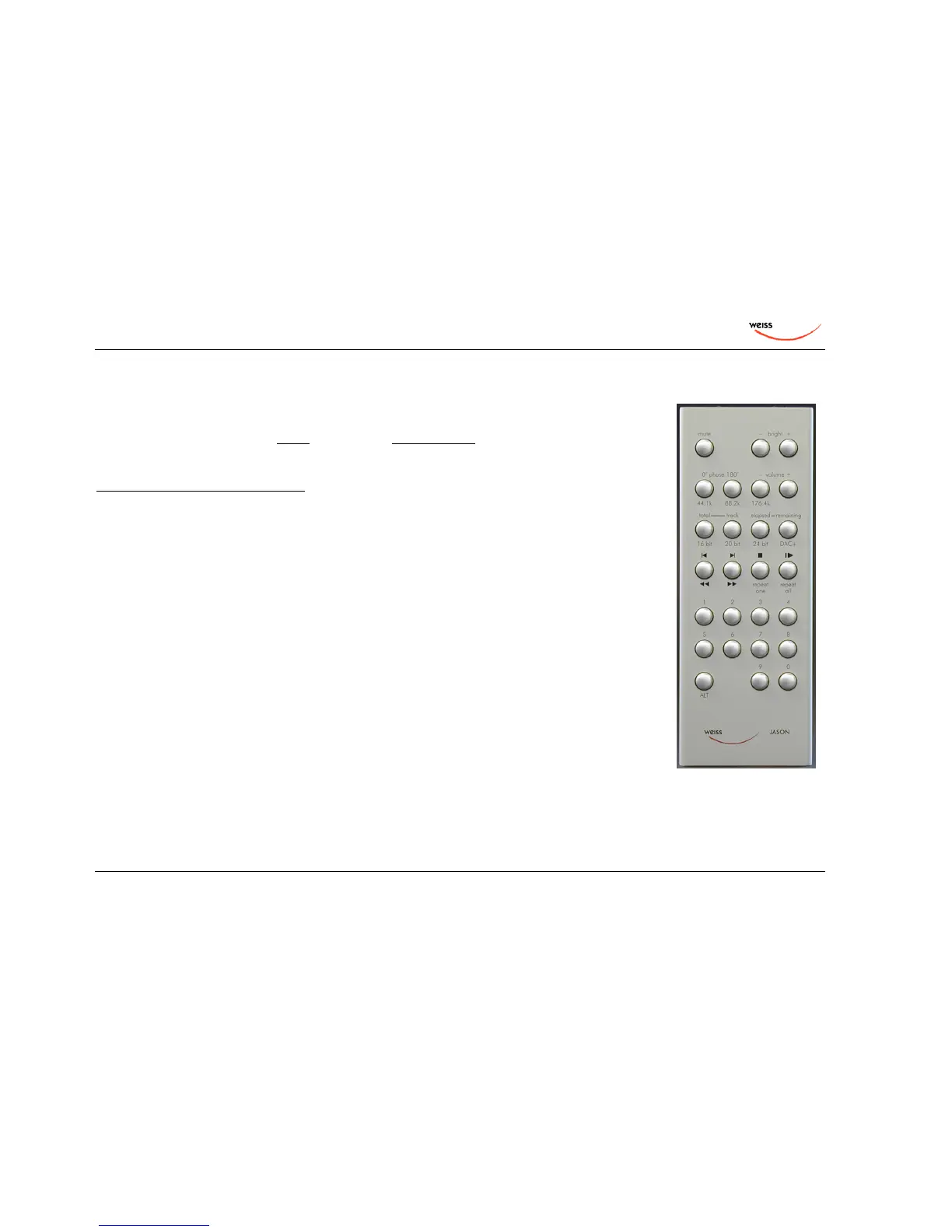
The Remote Control
The JASON remote control sports the standard CD transport controls and in addition a few controls
unique to the JASON CD transport.
To access the functions printed below the keys first press and hold the ALT key on the lower left and
then press the second key. Note that the keypad can be locked / unlocked. For locking press ALT /
mute. For unlocking press ALT / bright+. Also see the back of the remote control.
Key Function
mute mute all outputs, press again to unmute
bright - / + set the display brightness
phase 0° / 180° invert the absolute phase, normally set to 0°
volume - / + change the output volume
44.1k / 88.2k / 176.4k select the sampling rate of the upsampler
total / track select the type of time display (total of CD or individual track)
elapsed / remaining select the type of time display (elapsed time / remaining time)
16 bit / 20 bit / 24 bit select the wordlength at the ouputs
DAC+ switch on/off the D/A Converter enhancement
The remaining keys are the standard CD transport control keys. The numerical keypad allows to
enter track numbers directly.
The battery of the remote unit can be easily changed by removing the back cover.


 To Next Page