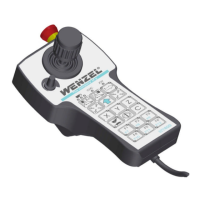
Control Panel - User Manual
Table of contents
Doc.no.: UM-22031 Revision: D Page 3 of 30
Table of contents
1. Signs and symbols............................................................................................................... 4
2. Safety regulations ............................................................................................................... 5
2.1. Safety Test ........................................................................................................................................................... 5
2.2. Battery Precautionary Steps............................................................................................................................... 6
3. Technical description .......................................................................................................... 8
3.1. Correct use .......................................................................................................................................................... 8
3.2. Components HT 400 and HT 400 RC................................................................................................................... 9
3.3. Features and functions ..................................................................................................................................... 10
3.4. Connecting the control panel HT 400............................................................................................................... 11
3.5. Connecting the control panel HT 400 RC ......................................................................................................... 12
4. Control and display elements.............................................................................................13
5. Basic functions of the control panel ...................................................................................16
5.1. Powering up HT 400 RC..................................................................................................................................... 16
5.2. Switching on operating mode (mouse function or axial control).................................................................... 17
5.3. Moving/traversing axes..................................................................................................................................... 18
5.4. Aligning control panel with respect to measuring machine........................................................................... 19
5.5. Setting/changing rate........................................................................................................................................ 21
5.6. Switching on the power supply for the servo drives........................................................................................ 22
5.7. Special functions ............................................................................................................................................... 22
5.8. Battery charge control (HT 400 RC) ................................................................................................................. 22
5.9. Recharging battery (HT 400 RC) ....................................................................................................................... 23
5.10. Shutdown function of the HT 400 RC control panel......................................................................................... 23
5.11. Modified functions of the HT 400 Design control panel .................................................................................. 24
6. Maintenance of the control panel .......................................................................................26
7. Help with faults ..................................................................................................................27
8. Technical data ....................................................................................................................29
9. Versionsgeschichte ............................................................................................................30
10. Contact Pantec ...................................................................................................................30



 To Next Page