36
TOPITEC
®
TOUCH User Manual | 11-2020
USB interface for main-
tenance purposes
PC interface
USB (at rear)
Printer interface (RS 232,
serial port)
(at rear)
Main switch (at rear)
TOPITEC
®
base ring
for single-patient jars /
jars for stock preparation
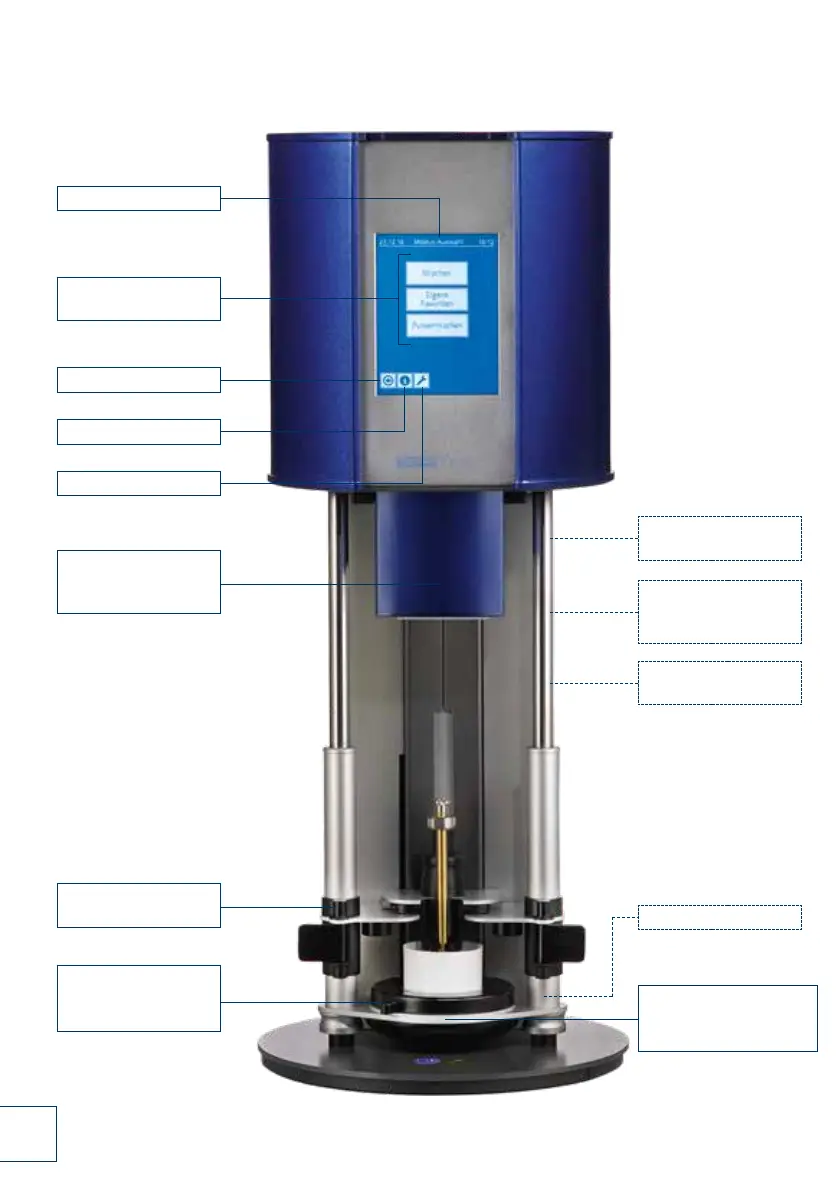
6.3 Control elements of TOPITEC
®
TOUCH
Fig. 6-2 Control elements of TOPITEC
®
TOUCH (pages 36-37)
Touch screen
Menu options
(Start menu)
Back
Information
Service menu
Tool shaft
adapter (concealed)
with safety bracket
Locking device
with securing bracket
TOPITEC
®
holder for jar
50 - 200 g (detachable)



 To Next Page