60
TOPITEC
®
TOUCH User Manual | 11-2020
7.2 Mode: Powder mixing (requires optional accessories)
7.2.1 For more information and instructions regarding powder mixing, please
refer to the TOPITEC
®
TOUCH / powder mixing manual.
8. CONNECTION OF PERIPHERALS
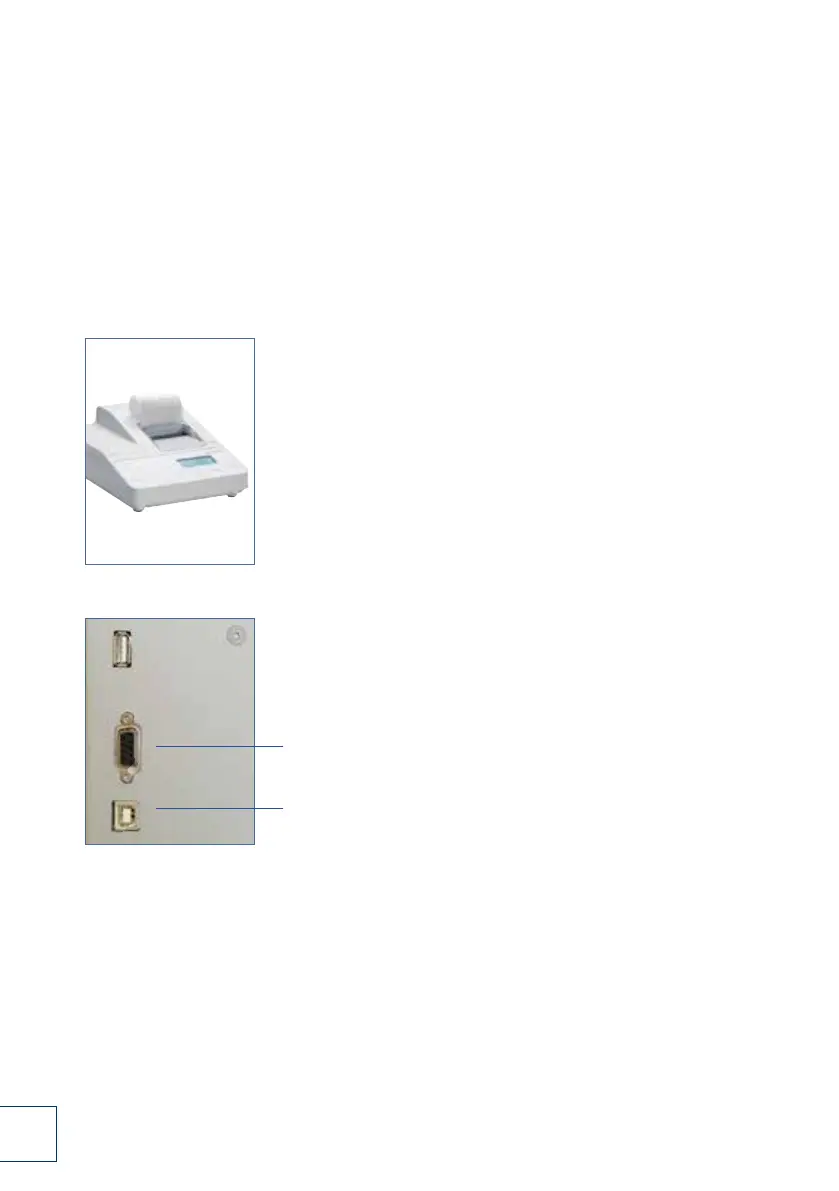
8.1.1 Connection of documentation printer
For the documentation of your formulations and production runs, we recommend connecting
a SARTORIUS data printer (model YDP 20-OCE) to your TOPITEC
®
TOUCH system.
1. First check whether the printer is correctly configured for
connection and printing. The baud rate must
be set to 9600. For detailed instructions,
please refer to the user manual of the printer.
2. Connecting the printer
Connect the printer power cable to a socket. The printer is
automatically switched on. The display
shows the time and the activated
numerator (NUM). Deactivate the numerator by pressing
the [N/N] button.
3. Connect the serial cable (prod. no. 025663) to the
serial portat the rear of the printer (labelled DATA).
The printer interface (RS 232, serial port) is located
on the rear of the TOPITEC
®
TOUCH
USB-A port for connection to the
apotec
®
connect.
1.
3.


 To Next Page
 Loading...