Page3of9
©Copyright2020WESCOIndustrialProducts,LLC.Specificationssubjecttochange.Notresponsibleforerrorsoromissions.
Standard Deluxe Pallet Truck
(Part # 272136, 272142, 272148, 272736, 272742, 272748)
Instruction Manual
ATTENTION: TO INSURE SAFE AND EASY USE OF YOUR WESCO PALLET
TRUCK, READ THESE INSTRUCTIONS ENTIRELY BEFORE USING.
1.2 SPECIFICATIONS (CONTINUED)
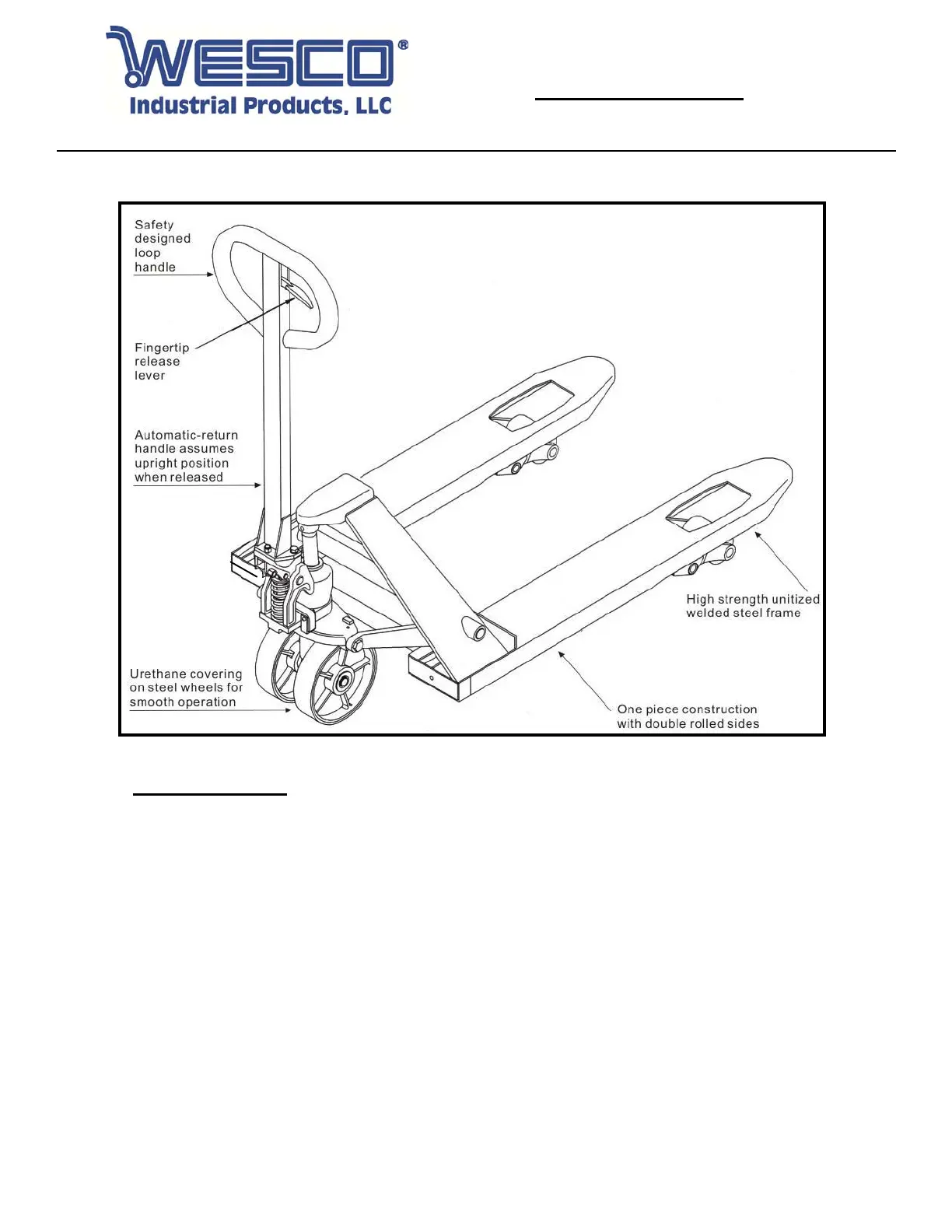
Figure 1
2. HANDLE ASSEMBLY
Items identified in Parts Diagrams
1) Use schematics and Figure 1 as a reference.
2) Position yourself behind the truck with forks pointing away.
3) Remove (3) screws [Item 22] from handle base [item 23].
4) Holding handle [item 68] in one hand, and a screwdriver in the other, place the screwdriver in one
of the 3 screw holes in handle base [item 23]. Pull on the screw driver so that the handle base [item
23] tilts back until the center hole in the handle [item 23] and axle [item 21] are aligned.
5) Slip chain [item 72] through both holes.
6) Replace 3 each screws [item 22] attaching handle [item 68] to handle base [item 23].
7) Pull up on lowering arm [item 35] and slip chain and nut assembly [items 72, 73] into slot. Nut [item
73] should be resting against underside of lowering arm [item 35].


 To Next Page