23
Product information from westerbergs Box 525, 301 80 Halmstad, Sweden
23
Product information from westerbergs Box 525, 301 80 Halmstad, Sweden
maintenance
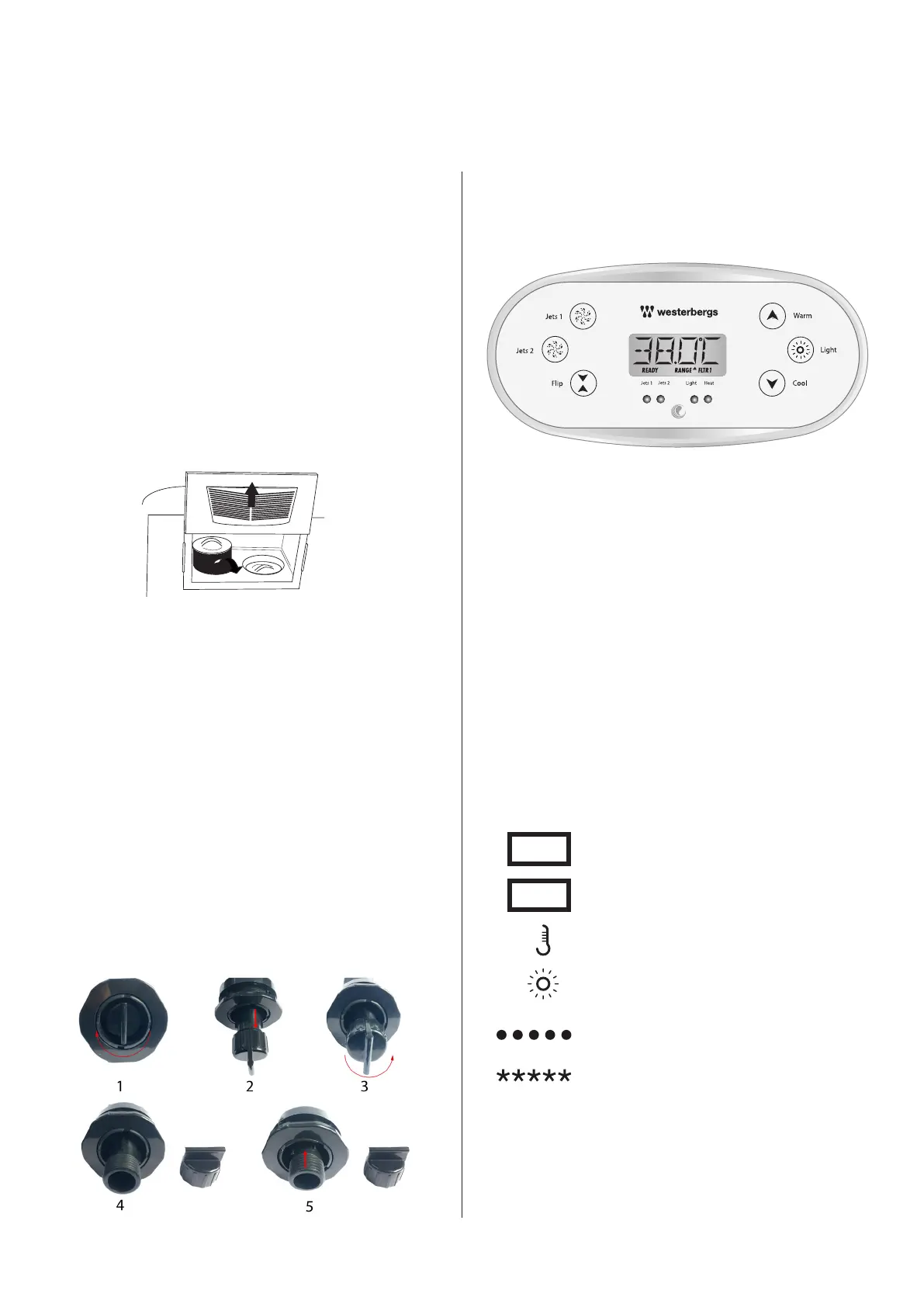
Removing and cleaning the filter cassette
The filter cassette of the spa can become blocked by mineral parti-
cles through calcification by hard water. This can result in impaired
water flow. We recommend cleaning the filter once a week.
Remove the filter if the spa is going to stand unused for two weeks
or more.
1. Remove the filter lid.
2. Remove the filters. Obs. Arum only have 1 filter.
3. Clean using a high pressure jet to remove all dirt in the filter.
4. Soak the filter in warm water and Westerberg’s Filter Cleaner to
remove all body oils and greasy dirt.
Never clean the filter using chlorine!
Hints
1. If using a housing or sunken installation, the tub should be tested
before being housed/lowered to avoid any unnecessary costs in
case servicing is required.
2. If using a housing or sunken installation, flat lifting straps can be
left under the tub to facilitate any future lifting work.
3. Always ensure that a housing or sunken installation is designed
to facilitate servicing. No costs for gaining access to the tub for
servicing are covered by the warranty.
4. Avoid using the diverter (for water massage selection) when the
water pump is running. The control knob is difficult to use when
under pressure and the risk of damaging it is increased.
Changing the water
The water in the spa should be changed 2-4 times a year.
Control panel
MAIN SCREEN
NAVIGATION
Navigation through the menu structure is done using two or three
buttons on the control panel. On panels with two temperature
buttons (Warm and Cool), both can be used to simplify navigation
and programming where a single temperature icon is displayed.
The LIGHT button is also used to select various menus and to
navigate through the various parts.
Typical use of the temperature buttons allows changes to be made
to the set temperature while the numbers are flashing on the LCD
display. You access the menus by pressing the LIGHT button while
the numbers are flashing.
Exiting from the menus is done by certain presses of the buttons.
If you simply wait for a few seconds, the panel returns to normal
operation.
EXPLANATION
BLUE TEXT
Indicates message information
RED TEXT
Indicates set programmable option
A temperature button; used for “action”
Light or dedicated “Select” button,
depending on the configuration of the
control panel
Waiting time to save the latest change to a
menu entry.
Waiting time (depending on menu entry) for
returning to original setting when changes
to the menu entry are ignored.
Product information from westerbergs PO Box 525, SE-301 80 Halmstad, Sweden


 To Next Page
 Loading...