EasyManua.ls Logo

WESTERLY Konsort 29 - Page 76

Default Icon
135 pages
Print Icon
To Next Page IconTo Next Page
To Previous Page IconTo Previous Page
Loading...
Battery
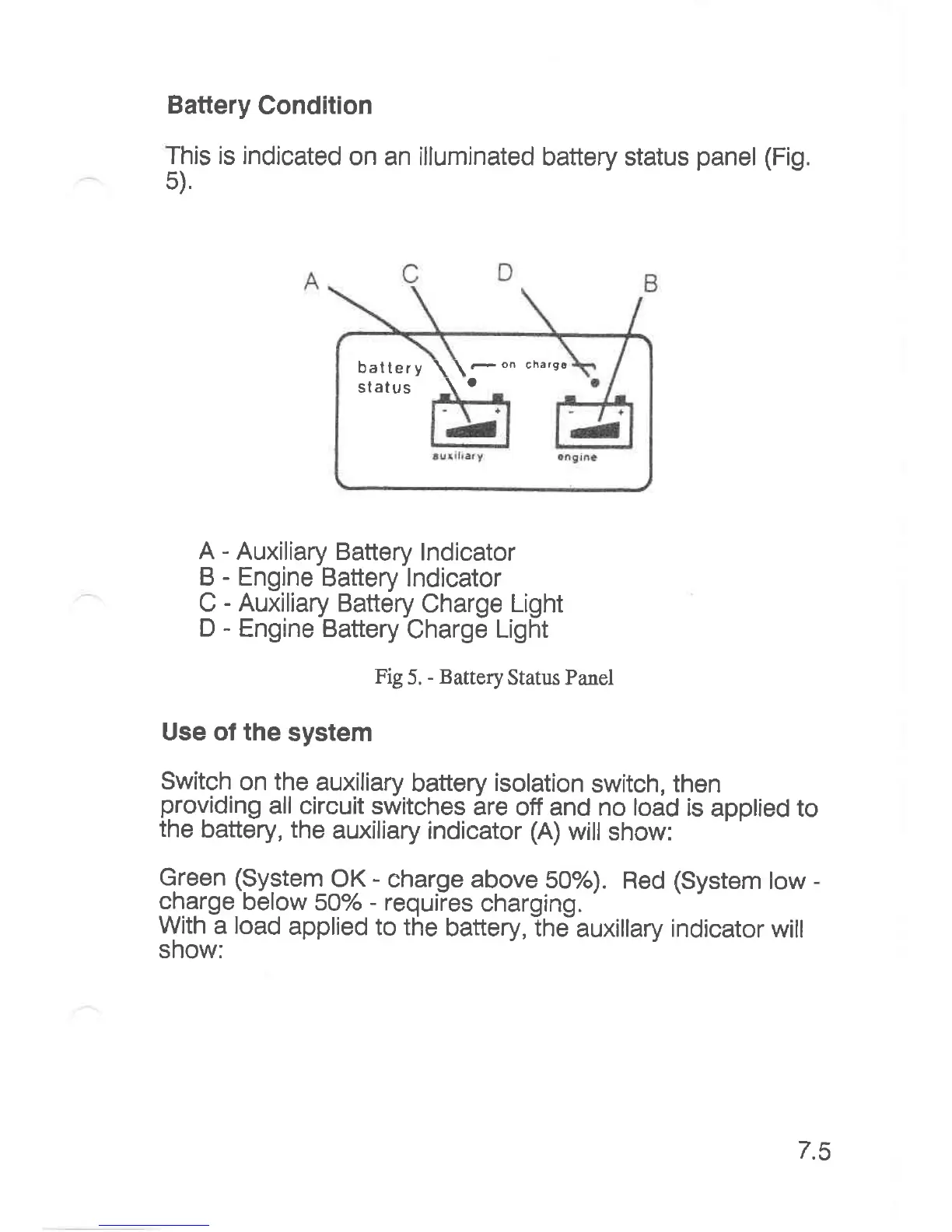
Condition
This is indicated
on an illuminated
battery status
panel
5).
(Fis.
A
-
Auxiliary Battery
lndicator
B
-
Engine
Battery lndicator
C
-
Auxiliary
Battery
Charge
Light
D
-
Engine Battery
Charge
Light
Fig
5.
-
Battery
Status Panel
Use of the
system
Switch
on the
auxiliary
battery
isolation
switch,
then
providing
all circuit
switches
are
off and no load
is
applied to
the
battery, the
auxiliary
indicator
(A)
will
show:
Green
(9ygtenl
QK
-
eharge above
5Oo/o).
Red
(System
tow
-
gharge below
50%
-
requiies
charging.
With
a
load
applied
to the
battery, the
auxillary
indicator
will
show:
battery
\\-on
charee
status
\
'
t.c

Related product manuals