Adding a Network Connection Profile
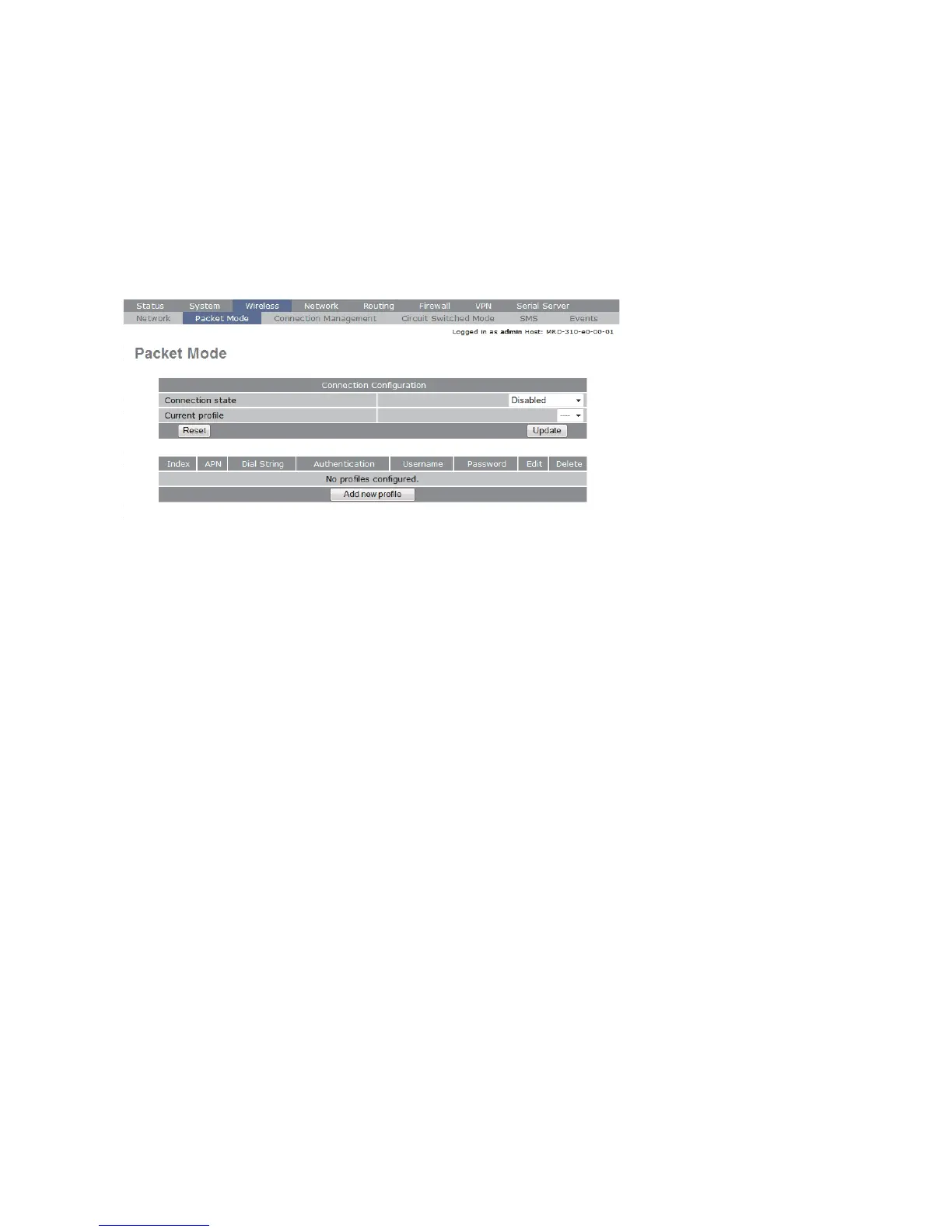
To access the wireless packet mode settings click on the ”Packet mode'' tab. The screen
shown in Figure 6 will be displayed. The page shows the connection configuration details
and is divided into two sections. The first section shows the current connection state
for the selected profile. The second section lists the available profiles. A connection
profile contains the settings required to connect to a provider's network. The unit allows
multiple profiles to be configured to allow quick changes to the network connection
settings. For most applications only one profile is required.
Figure 6
The 3G network provider will provide the items listed below which should be entered
into the appropriate fields in the ”Add new profile” section as shown in Figure 7.
• APN (Access Point Name)
• Dial string
• Authentication (None/PAP/CHAP)
• Username
• Password


 To Next Page