
 Need help?
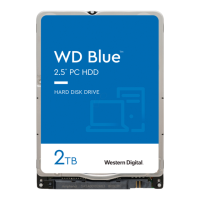
Do you have a question about the Western Digital Blue WD20SPZX and is the answer not in the manual?
Overview of WD Blue 2.5-inch drives, highlighting performance and low power for portable devices.
Details on features like SATA 6 Gb/s, Advanced Format, PMR, System-on-Chip, and S.M.A.R.T.
Technical specifications for seek times, transfer rates, buffer size, and error rates.
Details on drive capacity, interface, dimensions, and weight.
Information on current requirements, power dissipation, input voltage, and ESD sensitivity.
Operating conditions including shock, vibration, temperature, humidity, and pressure limits.
List of regulatory agencies and compliance standards met by the drive.
Explanation of the WD20SPZX model number suffix and its meaning.
Details on SATA 6 Gb/s interface capabilities like improved power management and signal recovery.
Explanation of AF technology for increased media efficiency and drive capacities.
Description of PMR technology for higher data density and thermal stability.
How SATA Power Pin 11 enables staggered spin-up and activity signaling.
Drive health monitoring capabilities and predictive failure analysis.
Information on device lock passwords, master, and user passwords for data security.
Overview of host interface commands, including ACS4 command opcodes.
How to enable or disable drive features using the Set Features command.
Essential steps and precautions for unpacking and handling the hard drive.
Information on drive mounting orientation, screw types, and grounding.
Details on accessing technical support and resources via the WD website.
 General
| Brand | Western Digital |
|---|---|
| Model | Blue WD20SPZX |
| Category | Storage |
| Language | English |







 To Next Page