INSTALLATION AND SETUP - 9
Unplugging Your FireWire External Hard Drive
Windows Users
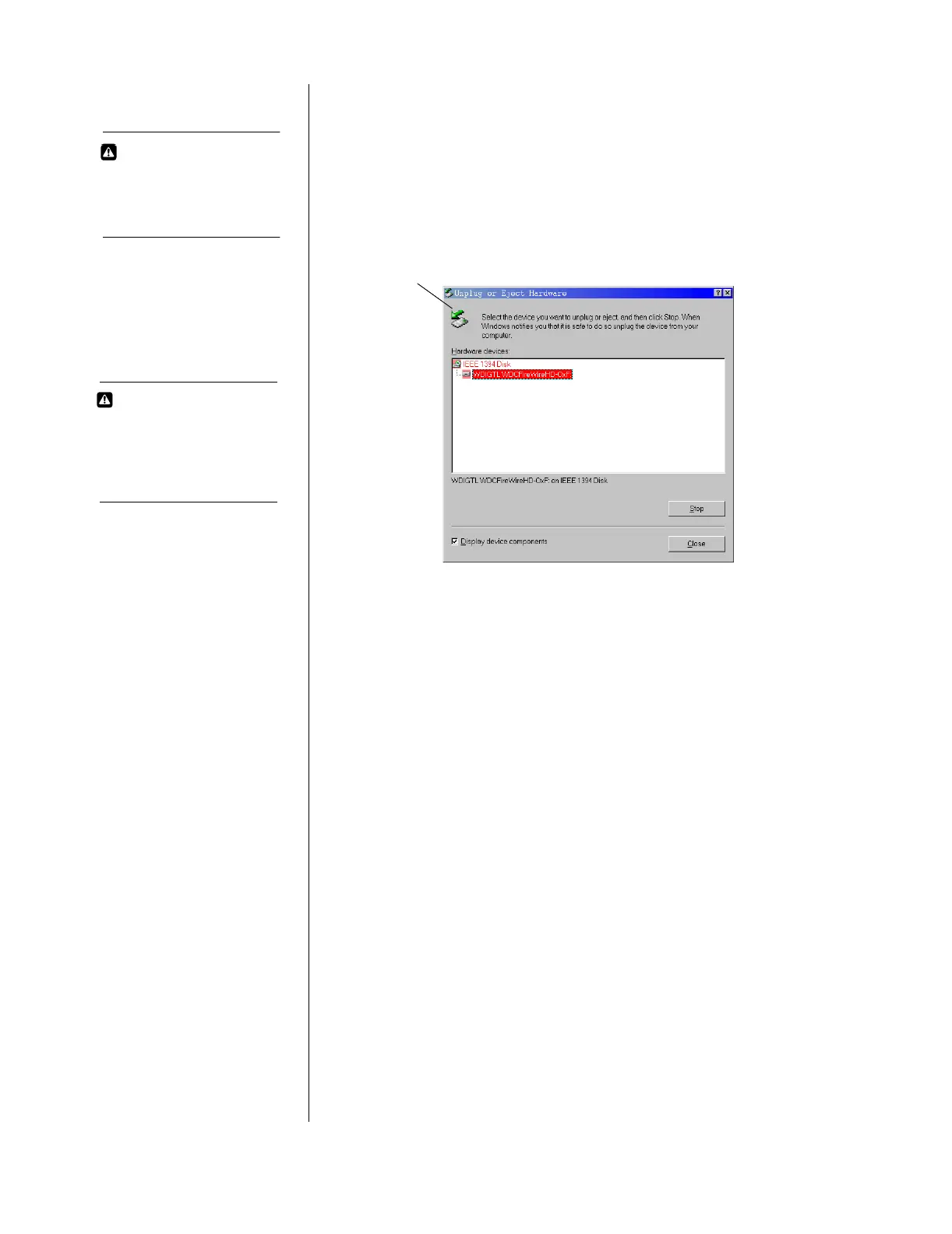
Double click on the Windows Unplug or Eject Hardware icon in your
system tray (located in the bottom right corner of your screen—see
the dialog box below for a depiction of this icon). The following
dialog box displays:
Select and highlight WD FireWire HD from the list, then click Stop.
To confirm your selection of the drive to be disconnected, click OK.
CAUTION
The Western Digital
FireWire external hard
drive is not intended as a
portable device.
Unplug or Eject Hardware system tray icon
CAUTION
Do not unplug your
FireWire external hard
drive while copying files as
this could result in data
loss.













 To Next Page