INSTALLATION AND SETUP - 6
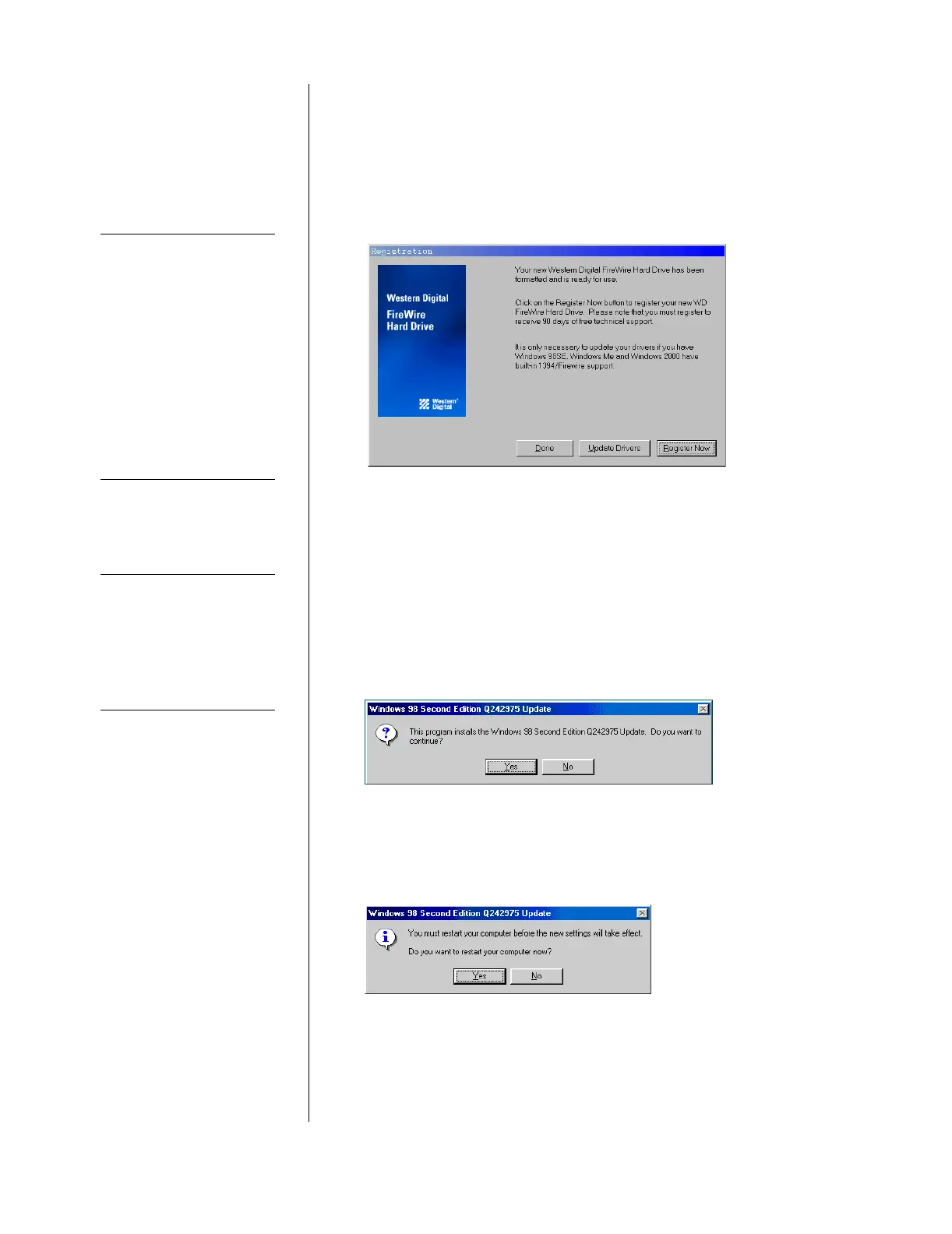
6. Windows 2000/Millenium users only: Your version of Windows
already has the required FireWire driver support. When the
Congratulations dialog box appears, click Done. When you have
finished installing all software, click Exit in the Main Menu, then
click Close.
Windows 98 SE users only: Click on Update Drivers to update
your Microsoft FireWire storage drivers.
NOTE: It is highly recommended that you update your FireWire
storage drivers to optimize the performance of your FireWire hard
drive and provide hot plug capability (see “Unplugging Your
FireWire External Hard Drive” on page 9).
If you have a non-US/English version of Windows, you will be
directed to Microsoft’s Web page to download the correct
FireWire driver.
The Windows 98 SE Update dialog displays. Click Yes to
continue and complete your installation successfully.
The Microsoft license agreement for the Windows 98 SE Update
displays. Click Yes to continue.
You must restart your computer for the new settings to take effect.
When prompted to restart, click Yes.
NOTE
Western Digital has
included the latest
available release of
Microsoft
®
FireWire
drivers as of the print date
of this install guide. Should
you encounter any
operating system issues,
please check for a newer
version of the FireWire
drivers on Microsoft’s
Web site (search under
FireWire or 1394).
NOTE
If you have a non-US
version of Windows, you
will be directed to
Microsoft’s Web page to
download the correct
FireWire driver.













 To Next Page