EasyManua.ls Logo

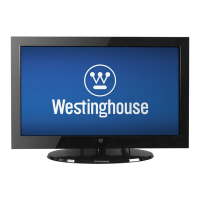
Westinghouse LD-4695 - User Manual

Westinghouse LD-4695
72 pages
Print Icon
To Next Page IconTo Next Page
Loading...
LD-4695

Table of Contents

Questions and Answers

  • D
    danamurphyAug 13, 2025
    How to fix no picture on Westinghouse TV?
    • L
      Lindsay CarlsonAug 14, 2025
      If your Westinghouse TV shows no picture, ensure the video input cable is properly connected to the correct terminal and the correct input mode is enabled. For example, if using a VGA cable connected to a computer, ensure the PC input mode is enabled. Also, verify that the antenna is properly connected and the correct channel is enabled in the channel list. You may also want to adjust the display settings.
  • J
    Joshua HendersonAug 17, 2025
    What to do if my Westinghouse LD-4695 remote control does not work?
    • M
      Matthew MayAug 17, 2025
      If your Westinghouse TV remote control isn't working, ensure you are pressing only one button at a time. Verify that the batteries are correctly inserted. If the issue persists, replace the batteries with new ones.
  • J
    jonesrachelAug 21, 2025
    Why is my Westinghouse TV not turning on?
    • J
      jennifernguyenAug 21, 2025
      If your Westinghouse TV has no power, make sure the power indicator is illuminated blue. Also, ensure the power cord is securely connected to the AC-in jack and plugged into a functional AC outlet. To verify the outlet is working, plug in another electrical device.
  • J
    Jennifer HooperAug 25, 2025
    Why is there no sound on my Westinghouse LD-4695 TV?
    • D
      David LeAug 25, 2025
      If there is no sound on your Westinghouse TV, first ensure the audio input cable is correctly connected to the appropriate terminal and the correct input mode is selected. Check if the volume is muted by pressing the volume keys. You may also need to adjust the Bass, Treble, and Balance settings in the Audio menu. If using the TV speakers, ensure they are enabled in the Audio menu; if using an external audio device, ensure the TV speakers are turned off in the Audio menu.
  • J
    Jacob LeblancAug 28, 2025
    What to do if my Westinghouse LD-4695 TV has poor image quality?
    • B
      Brittany SmithAug 28, 2025
      If your Westinghouse TV has poor image quality (cutoff picture, snowy images), check your antenna connection, rotating it if necessary and waiting up to ten seconds for a signal. Reduce the number of signal splitters and excessively long cables. Replace any poor antenna cables or connectors to improve signal quality. You can also adjust the aspect ratio and the Noise Reduction setting in the Picture menu. In HDMI mode, make sure the external device is compatible with the TV.
  • M
    Martha MuellerSep 1, 2025
    How to fix wrong colors on Westinghouse LD-4695?
    • K
      kimberly12Sep 1, 2025
      If your Westinghouse TV is displaying wrong, abnormal, or missing colors, first check the video cable to ensure it's securely connected. Loose or broken pins in the cable connector could cause an improper connection. Then, adjust the Hue, Saturation, and Color Temperature settings in the Picture menu. You can also connect the TV to another computer to check if the problem is with the computer screen.
  • K
    Kayla CaldwellSep 5, 2025
    What to do if my Westinghouse TV picture is cut off?
    • D
      Dr. Lawrence EvansSep 5, 2025
      If the picture on your Westinghouse TV is cut off or appears in a sidebar screen, press the button to adjust the Aspect ratio.
  • J
    Joseph ReeseSep 8, 2025
    Why does my Westinghouse LD-4695 TV power suddenly turn off?
    • J
      Jeffrey NelsonSep 8, 2025
      If your Westinghouse TV is suddenly turning off, ensure that the sleep timer is turned off.

Summary

Digital Television Transition Notice

Important Information and Safety

Warnings

Safety warnings to reduce risk of fire or electric shock.

Notices

Important notices concerning power cord selection and safety guidelines.

FCC Compliance Statement

Statement on equipment compliance with FCC rules for digital devices.

Important Safety Instructions

Detailed safety instructions for operating the LED TV safely.

Operational Safety Warnings

Warnings regarding circuit overload, power cord protection, and ventilation.

Additional Precautions

General warnings and precautions for using the LED TV, including environmental factors.

Installation Safety Guidelines

Safety instructions for antenna installation, lightning protection, and power lines.

Cleaning Instructions

Guidelines for safely cleaning the LED TV screen and case.

Package Contents

Control Panel and Terminals

Control Panel Overview

Description of the TV's control panel buttons and their functions.

Connectivity Terminals

Identification and function of various input/output terminals on the TV.

Remote Control Operation

Remote Control Types

Description and functions of Remote Control Type A and Type B.

Remote Control Usage

Instructions for installing batteries and information on transmission range.

LED TV Base Installation

Installing the LED TV Base

Step-by-step guide to attaching the TV base to the unit.

Removing the LED TV Base

Instructions for detaching the TV base for storage or wall mounting.

Connections

Antenna and Cable TV Connection

Diagrams and instructions for connecting antenna and cable TV inputs.

External Device Connections

How to connect various external audio-video devices to the TV.

Power and Setup Procedures

Connecting AC Power

Steps for connecting the TV to a power outlet using the AC adapter.

Initial Setup Wizard

Guide for initial setup, including language, time zone, and connection configuration.

Antenna;Coaxial Cable Setup

Setup wizard steps for antenna or coaxial cable input.

Cable;Satellite Box Setup

Setup wizard steps for connecting cable or satellite boxes.

Other Input Source Setup

Setup wizard for connecting other external input sources like game consoles.

Basic Operations

Power and Volume Control

How to turn the TV on/off and adjust the audio volume.

Channel and Input Selection

Methods for changing channels and selecting video input sources.

Display and Backlight Adjustment

Adjusting the picture display format and screen backlight settings.

Setup Menus

Picture Settings

Configuring display quality options like brightness, contrast, saturation, and presets.

Audio Settings

Adjusting audio parameters like bass, treble, balance, and speaker settings.

View Mode Settings

Selecting aspect ratio and adjusting display settings for VGA input.

TV Program Management

Managing channel lists, sound options, and scanning for channels.

General Settings

Configuring date, time, captions, parental controls, OSD, power, and version.

Wall Mount Option

Wall Mount Installation

Instructions and reminders for safely mounting the TV on a wall.

Troubleshooting

Power and Remote Issues

Solutions for power-related problems and non-functional remote controls.

Picture and Sound Issues

Troubleshooting steps for picture quality, color issues, and lack of sound.

Specifications

Westinghouse LD-4695 Specifications

General IconGeneral
BrandWestinghouse
ModelLD-4695
CategoryTV
LanguageEnglish

Related product manuals