EasyManua.ls Logo

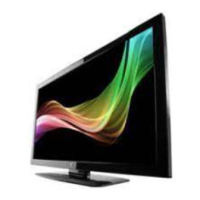
Westinghouse VR-5525Z - User Manual

Westinghouse VR-5525Z
52 pages
Print Icon
To Next Page IconTo Next Page
Loading...
USER’S MANUAL
MANUEL DE L’UTILISATEUR
MANUAL DEL USUARIO
VR-5525Z
VR-5525Z_UM_cover_26 Apr 11.pdf 1 2011-4-26 18:11:02

Questions and Answers

  • S
    Sean SerranoJul 31, 2025
    How to fix Westinghouse TV remote control not working?
    • R
      Robert CookJul 31, 2025
      If the remote control for your Westinghouse TV isn't working, start by checking the batteries. Ensure they are correctly ordered and aligned. Also, make sure that nothing is blocking the IR (infrared) sensor on the remote control.
  • G
    Gloria HowellAug 4, 2025
    Why is there no sound on my Westinghouse VR-5525Z?
    • M
      Melissa EdwardsAug 5, 2025
      If your Westinghouse TV has no sound, ensure that you haven't accidentally pressed the MUTE button on either the panel or the remote control.
  • J
    Joshua HoffmanAug 9, 2025
    What to do if my Westinghouse VR-5525Z TV says no signal?
    • R
      Ryan CalhounAug 9, 2025
      If your Westinghouse TV shows no signal, the first step is to check that all cables are correctly plugged in. This ensures a proper connection and signal reception.
  • J
    jennifercollinsAug 14, 2025
    Why does my Westinghouse VR-5525Z make a “zip” noise?
    • M
      Michelle HuntAug 15, 2025
      If you notice a 'zip' noise coming from your Westinghouse TV cover, even with a correct display image, it might be due to an unsteady fixation of the panel.
  • T
    Tina AriasAug 19, 2025
    Why is there snow on my Westinghouse TV screen?
    • P
      patrickosborneAug 19, 2025
      Snow on the screen of your Westinghouse TV may appear if the antenna cables are not correctly plugged in.
  • C
    Christopher PhillipsAug 25, 2025
    Why does my Westinghouse TV have a double image?
    • M
      Megan MarksAug 25, 2025
      A double or multiple display image on your Westinghouse TV might result from electrical wave disturbances from other devices like TVs, computers, game machines, or radios.

Summary

IMPORTANT SAFETY INSTRUCTION

SAFETY PRECAUTIONS

Safety Guidelines

Covers headphone warnings, installation location, and stand mounting procedures.

Remote Control

Quick Installation Tips

Connections

Antenna and Cable Connections

Details on connecting antenna, cable, and satellite for signal reception.

External Device Connections

Instructions for connecting various external devices like PCs, DVDs, and audio systems.

Initial Setup

Basic Configuration

Setting language, time zone, and location for initial TV setup.

Signal and Channel Setup

Configuring signal source, input type, and performing channel scanning.

Main Menu Overview

Picture, Sound, and Channel Settings

Adjusts visual elements, audio aspects, and channel management.

Picture Menu

Sound Menu

Parental Control Menu

Rating Systems

Setting up US/Canada V-Chip, Movie, and TV rating controls.

Simple Troubleshooting

Technical Specifications

Westinghouse VR-5525Z Specifications

General IconGeneral
BrandWestinghouse
ModelVR-5525Z
CategoryTV
LanguageEnglish

Related product manuals