EasyManua.ls Logo

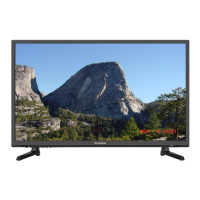
Westinghouse VR-4625 - User Manual

Westinghouse VR-4625
38 pages
Print Icon
To Next Page IconTo Next Page
Loading...
USER’S MANUAL
MANUEL DE L’UTILISATEUR
MANUAL DEL USUARIO
VR-4625

Questions and Answers

  • E
    Elizabeth Harris MDJul 30, 2025
    Why is my Westinghouse VR-4625 TV remote not working?
    • A
      arobinsonJul 30, 2025
      If the Westinghouse TV remote control isn't working, check the batteries' order and alignment. Also, make sure that nothing is blocking the IR sensor on the remote control.
  • C
    Crystal PinedaAug 4, 2025
    What to do if there is no sound on Westinghouse TV?
    • M
      Mr. William MillerAug 5, 2025
      If your Westinghouse TV has no sound, ensure that you haven't accidentally pressed the MUTE button on either the panel or the remote control.
  • J
    jessica48Aug 9, 2025
    How to fix no signal on Westinghouse VR-4625?
    • T
      Theresa KellyAug 9, 2025
      If your Westinghouse TV shows 'No signal', please verify that all cables are correctly plugged in.
  • S
    Stacy SerranoAug 14, 2025
    What causes snow on Westinghouse VR-4625 TV screen?
    • C
      Cindy MillerAug 15, 2025
      Snow on the screen of your Westinghouse TV indicates that the antenna cables are not correctly plugged in.
  • M
    Maria GonzalezAug 19, 2025
    What causes double image on Westinghouse VR-4625?
    • E
      Elizabeth MooreAug 19, 2025
      A double or multiple display image on your Westinghouse TV may be the result of an electrical wave disturbance from another TV, computer, game machine, or radio.
  • W
    wilkinsphilipAug 25, 2025
    Why does my Westinghouse TV make a 'zip' noise?
    • S
      Stacy AdamsAug 25, 2025
      Even if the display image is correct, the noise on your Westinghouse TV may come from an unsteady fixation of the panel.

Summary

Important Information

Safety Precautions

Installation

Power Cord Connection

Instructions on how to connect the power cord to the TV.

Antenna Connection

Guide on connecting an antenna for signal reception.

AV Connection

How to connect audio-visual devices using RCA cables.

YPbPr(Component) Connection

Steps for connecting component video and audio sources.

VGA(PC) Connection

Instructions for connecting a PC via VGA and audio cables.

COAX Connection

Guide for connecting audio amplifiers using the coaxial output.

HDMI Connection

How to connect devices using HDMI cables for digital signal transfer.

Remote Control

Remote Control Instructions in TV Mode

Detailed guide on operating the TV using the remote control.

Menu Operation

Setup Wizard

Step-by-step process for initial TV setup and configuration.

Channel Scan

Process for scanning and tuning available TV channels.

Select Input Source

How to select the active input source for the TV.

Picture Menu

Adjusting picture settings like brightness, contrast, and color.

Picture Settings

Detailed settings for optimizing picture quality.

Picture Mode

Selecting predefined picture presets (e.g., Dynamic, Standard).

Brightness

Adjusting the screen's brightness level.

Contrast

Adjusting the difference between the brightest and darkest areas.

Color

Adjusting the color saturation and intensity.

Sharpness

Enhancing or softening the detail in the image.

Tint

Adjusting the green-to-red balance of the picture.

Color Temperature

Adjusting the color warmth or coolness of the image.

Sound Menu

Accessing and adjusting audio settings.

Sound Settings

Basic audio adjustments like volume, bass, treble, and balance.

Parental Control

Setting up restrictions and parental locks.

Troubleshooting

Specifications

Westinghouse VR-4625 Specifications

General IconGeneral
Screen Size46 inches
Display TechnologyLCD
Refresh Rate60 Hz
Smart TVNo
Resolution1920 x 1080
InputsHDMI, USB, VGA, Component, Composite

Related product manuals