3
4RYL2, 4RYL3, 4RYL5, 4RYL6, 4RYL8, 4RYL9
Westward O
eratin
Instructions and Parts
Digital Torque Wrench
CTIVATION DURING SLEEP MODE
BEFORE USING THE WRENCH
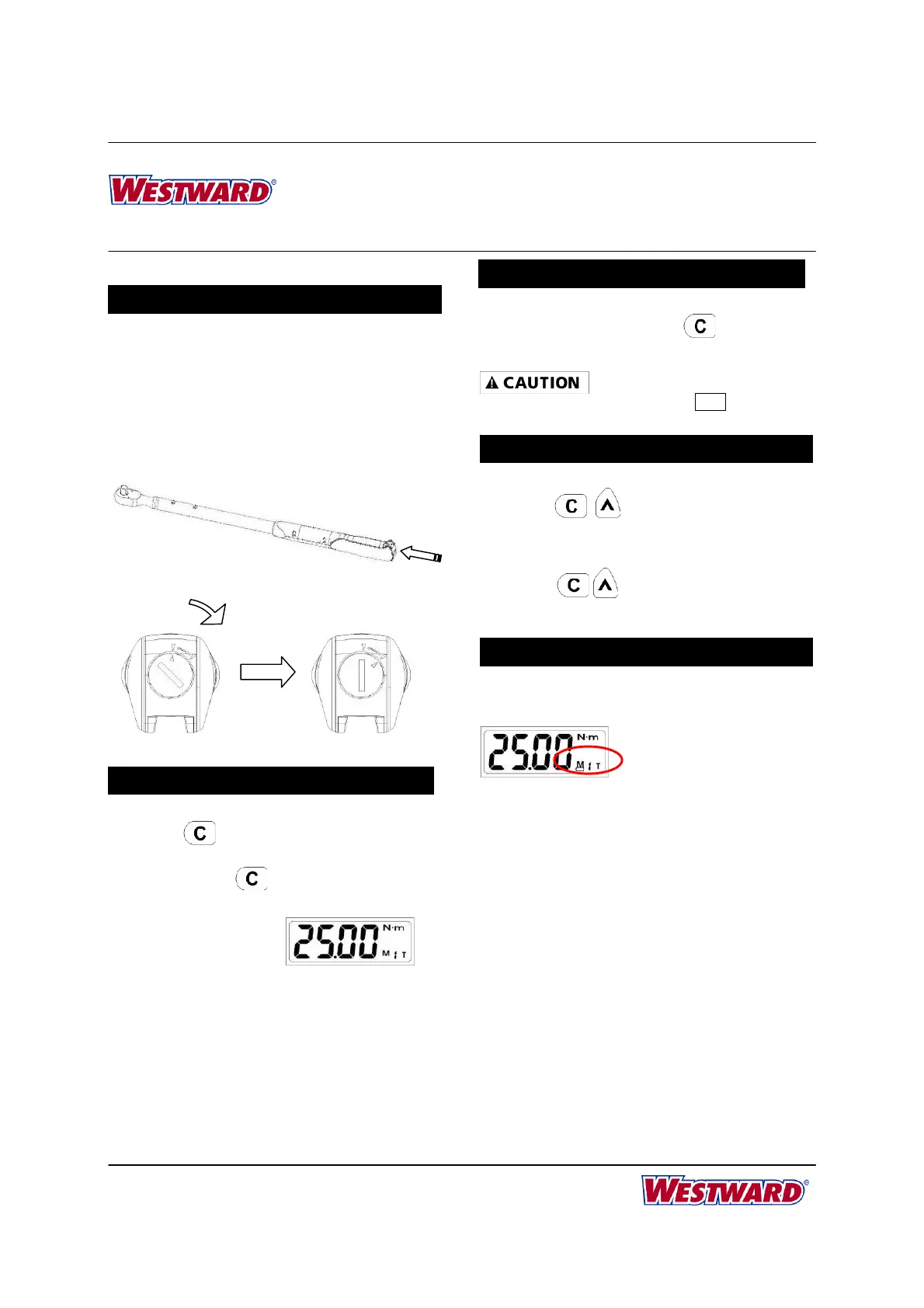
BATTERY INSTALLATION
Remove the battery cover.
Insert two R6/AA batteries matching the -/+
polarities of the battery to the battery
compartment.
Put on the battery cap and rotate it tightly
according to the following figures.
POWER ON AND RESETTING THE WRENCH
Press
to power on the digital torque wrench.
Usually press
to reset the digital torque
wrench before using it.
ATTENTION:
If an external force is applied to the torque wrench
during power-on/reset or wake up period, an initial
torque offset will exist in the
memory.
ACTIVATION DURING SLEEP MODE
ACTIVATION DURING SLEEP MODE
The wrench will auto sleep after about 5 minutes
idle for power saving. Press
to wake up the
wrench during the sleep mode.
During communication period (send appears), the
sleep function is disabled.
RESETTING THE WRENCH
Press together will reset the
wrench.
If the wrench does not function normally,
press together to reset the wrench.
LOW BATTERY VOLTAGE PROTECTION
If the battery serial voltage is in low voltage
status, the wrench will display a battery
symbol and then turn off after a while.
+
-
Battery and cap



 To Next Page