Need help?
Do you have a question about the Wet Sounds WS-MC-5 and is the answer not in the manual?
Details the physical size specifications of the WS-MC-5 marine receiver and its components.
Lists and illustrates all hardware components provided with the WS-MC-5 unit.
Illustrates the overall wiring harness connections for the WS-MC-5 marine receiver.
Details the pin assignments and wire colors for Connector A of the WS-MC-5 wiring harness.
Lists the primary functionalities and capabilities of the WS-MC-5 marine receiver.
Lists all the physical components provided in the package with the WS-MC-5 unit.
Manages audio balance, fader, equalization, internal amplifier, and zone 2 output settings.
Configures display modes, tuner region, software version, and factory defaults.
Details how to operate the radio tuner, including station seeking and presets.
Explains how to connect and stream audio wirelessly via Bluetooth to the WS-MC-5.
Describes how to connect and play audio from external devices using the auxiliary input.
States compliance with FCC rules and conditions for operation of the device.
Lists registered trademarks associated with the WS-MC-5 and Wet Sounds Inc.
Outlines the terms, coverage, exclusions, and service procedures for the product warranty.
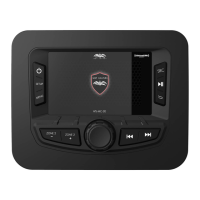
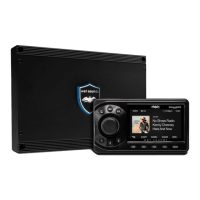
The Wet Sounds WS-MC-5 is a 1-piece marine receiver designed to provide a comprehensive audio experience in marine environments. This owner's manual outlines its features, controls, setup, and maintenance, ensuring users can fully enjoy their product.
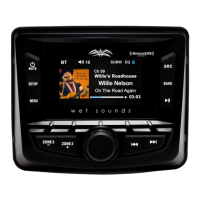
The WS-MC-5 serves as a central audio hub for marine vessels, offering multiple source options and robust audio processing capabilities. It integrates AM/FM radio, Bluetooth streaming, and auxiliary input, allowing users to access a wide range of audio content. The device is equipped with an internal power amplifier, capable of delivering 4x50W at 2 Ohm Max Output, providing ample power for marine speaker systems. For more extensive audio setups, it also features front and rear preamp outputs with fading capability, allowing connection to external amplifiers. A unique aspect of the WS-MC-5 is its front panel-mounted independent secondary zone control, which can be configured for either full-range or subwoofer output, offering flexible audio distribution within the vessel. The unit's display is a 2.7" LCD, providing clear visual feedback for all operations.
Operating the WS-MC-5 is intuitive, primarily through its Main Control Knob (MCK) and a set of dedicated buttons. The MCK is central to navigation and selection, allowing users to adjust the main volume, highlight features in setup and menu modes, and confirm selections by depressing the knob.
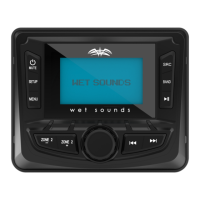
Power and Mute: A press and hold of the Power/Mute button turns the unit on or off. A short press mutes or unmutes the volume across all zones, with confirmation displayed on the screen.
Setup Menu: The Setup button grants access to global controls affecting all MC-5 functions. Users rotate the MCK to highlight a desired function and then depress it to access.
Menu Button: In Radio mode, the Menu button provides access to presets.
Zone 2 Controls: Dedicated buttons for "Zone 2 -" and "Zone 2 +" allow users to decrease or increase the output sent to the zone 2 pre-amp outputs. The main volume control, however, retains overall override capability for front, rear, and zone 2 outputs.
Source (SRC) Button: This button allows users to switch between the three available audio sources: Radio, Bluetooth, and Auxiliary.
Band Button: In Radio mode, the Band button cycles through FM1, FM2, FM3, AM1, and AM2 modes.
Play/Pause Button: Active during Bluetooth streaming, a single press pauses playback, and another press resumes it. This button also enables switching between presets in the various FM/AM radio modes.
The WS-MC-5 includes features to help manage its software and settings.
The WS-MC-5 is designed with day/night illumination and dimming capabilities, enhancing visibility and user comfort in various lighting conditions. Its robust construction and design are specifically engineered to withstand the rigorous marine environment, ensuring durability and reliable performance. The product comes with essential hardware, including a silicon cover, wiring harness, mounting hardware, mounting bracket, and the MC-5 bezel, facilitating installation and protection. Wet Sounds products are known for their high-performance audio, and the WS-MC-5 continues this tradition, offering a sophisticated and user-friendly marine audio solution.
 General
| Display | LCD |
|---|---|
| Frequency Response | 20Hz - 20kHz |
| Zone Control | Yes |
| Bluetooth | Yes |
| USB Input | Yes |
| AUX Input | Yes |
| SiriusXM Ready | Yes |
| Pandora Control | Yes |
| Spotify Control | Yes |
| Waterproof | Yes |
| Water Resistance | IPX6 |
| RMS Power Output | 4 x 50W |
| Dimensions | 4.5" x 4.5" |

 To Next Page