EasyManua.ls Logo

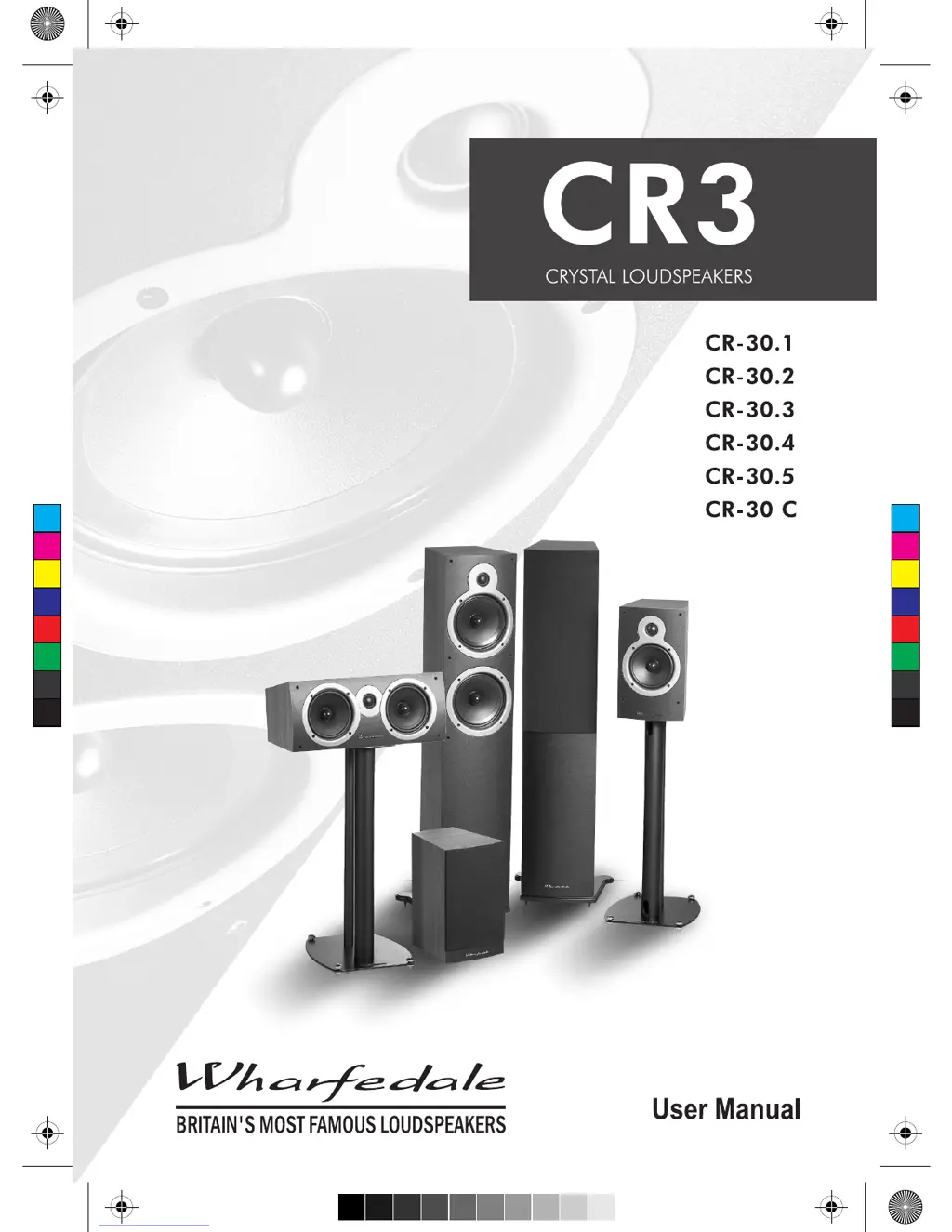
Wharfedale Pro CR-30.1 - User Manual

Wharfedale Pro CR-30.1
12 pages
Print Icon
To Next Page IconTo Next Page
Loading...
C
M
Y
CM
MY
CY
CMY
K
manual-01.pdf 2009-11-27 16:03:12

Questions and Answers

  • C
    Christopher GoodmanJul 31, 2025
    What to do if my Wharfedale Pro Speakers have no sound?
    • S
      Selena RiveraJul 31, 2025
      If your Wharfedale Pro Speakers aren't producing any sound, there are a few things you can check: * Ensure the system is switched on. * Inspect the speaker cables for any shorts and correct them. * Verify that you've selected the correct audio source.
  • M
    michaelnicholsonAug 5, 2025
    Why is there distortion or rattling at high levels from my Wharfedale Pro CR-30.1 Speakers?
    • M
      mhallAug 5, 2025
      If you're experiencing distortion or rattling from your Wharfedale Pro Speakers at high volumes, it could be due to a couple of reasons: * The system level might be set too high; try lowering it. * Objects might be too close to or on top of the speakers or subwoofer. Remove any such objects.
  • N
    Nicole RodriguezAug 10, 2025
    What to do if I hear excessive or distorted bass at high levels from my Wharfedale Pro CR-30.1?
    • D
      Derrick HaneyAug 10, 2025
      If you're getting excessive or distorted bass from your Wharfedale Pro Speakers at high levels, try the following: * Lower the system level. * Reduce the bass control setting.
  • G
    Gregory RoseAug 15, 2025
    What to do if I hear excessive bass distortion at low volumes on my Wharfedale Pro CR-30.1 Speakers?
    • D
      Daniel BakerAug 15, 2025
      If you're experiencing excessive bass distortion at low volumes with your Wharfedale Pro Speakers, consider these adjustments: * Lower the subwoofer level. * Reduce the LFE level. * Check the subwoofer wiring and correct any issues.
  • J
    Julie FreemanAug 20, 2025
    Why does the sound from my Wharfedale Pro Speakers lack bass content, and why is bass reproduction indistinct?
    • H
      heidiandersonAug 21, 2025
      If the sound from your Wharfedale Pro Speakers lacks bass or the bass reproduction is indistinct, here are some things to check: * Check all system connections and rectify. * Ensure the subwoofer is switched on. * Correct the subwoofer phase. * Adjust the subwoofer crossover control.
  • D
    David SilvaAug 25, 2025
    What to do if my Wharfedale Pro CR-30.1 sound indistinct with poor localisation of effects and dialogue?
    • O
      owilliamsAug 26, 2025
      If your Wharfedale Pro Speakers sound indistinct and the localisation of effects and dialogue is poor, it might be because one or more loudspeakers is out of phase. Check all system connections and rectify.

Summary

Important Safety Information

General Safety Instructions

Key safety precautions and warnings for operating and maintaining the loudspeakers, including installation.

Unpacking and Initial Checks

Preparing and Positioning Stereo Loudspeakers

Attaching Plinth and Spikes

Guide to fitting plinths and spikes to CR-30.4 and CR-30.5 loudspeakers for stability and levelling.

Levelling Loudspeakers

Steps to ensure loudspeakers are level using adjustable spikes, including spike seat usage.

Stereo Speaker Placement

Recommendations for optimal stereo soundstage placement, including distance from walls and toe-in angles.

Home Cinema Loudspeaker Positioning

5.1 System Setup

Guidance on positioning front, centre, and surround speakers for a 5.1 home cinema system.

7.1 System Setup

Advice on placing speakers for a 7.1 surround sound system, including rear speaker positioning.

Wall Mounting Positions

Recommendations for wall mounting centre and effects speakers, with considerations for screen placement.

Advanced Setup and Mounting

Dolby Labs 7.1 Placement

Recommended angular placement for speakers in a Dolby Labs 7.1 surround sound system for optimal audio.

Wall Mounting the CR-30.1

Detailed instructions for wall mounting the CR-30.1 loudspeaker using its integral keyhole slot.

Loudspeaker Connection Guide - Part 1

Terminal Panels

Overview of the twin terminal connecting panels used on Wharfedale CR30.1 loudspeakers for amplifier connection.

Cable Preparation

Instructions on preparing loudspeaker cables, including stripping insulation and twisting stranded wires.

Connecting Speaker Terminals

Step-by-step guide on how to securely connect speaker cables to the terminal posts.

Loudspeaker Connection Guide - Part 2

Stereo Connections

How to connect loudspeakers for stereo audio output from an amplifier or processor.

5.1 Channel Connections

Diagram and guidance for connecting loudspeakers in a 5.1 channel surround sound system configuration.

System Setup and Troubleshooting

Setting Up a Stereo System

Tips for optimising stereo system performance, including speaker placement and sound balance.

Setting Up an AV System

Guidance on configuring AV systems, including speaker size settings and subwoofer options for optimal sound.

Troubleshooting Common Issues

A table outlining common symptoms and their possible causes for loudspeaker system malfunctions.

Further Information and Support

Care and Maintenance

Instructions for cleaning and maintaining the appearance of the loudspeakers, and handling drive units.

Guarantee and Service

Information on the product guarantee terms, exclusions, and procedures for service or repair.

Authorised Service Centres

Contact details for authorised service centres in the UK and Asia, and how to find worldwide service contacts.

Loudspeaker Specifications

Wharfedale Pro CR-30.1 Specifications

General IconGeneral
Configuration2-way
Impedance
TypePassive
HF Driver1"
Tweeter1"
Woofer5.25" (130mm) Low Frequency Driver

Related product manuals