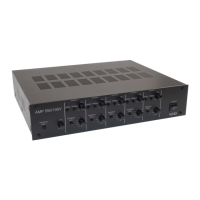
Manual AMP 4200
Valid for
111-425-04-001-00
Version (modifications reseverd)
21.02.2022
Seite 3 of 17
IP User Interface Web-GUI, 10/100 mbps Ethernet
Crossovers 6 dB/oct …24 dB/oct
Equalizer 3-Band IIR per channel
ratory work before installation
Check if all cables (e.g. 230 V AC, antenna and the RCA cable for AUX) are installed in accordance with
installation guidelines, and your desired port scenario.
Note:
For the installation / configuration via the web interface (web GUI) you need a corresponding end device
(PC / laptop / ... etc.) and an Ethernet crossover cable.
Installation and assembly
The device is suitable for 19 “installation (1 U). To do this, mount the enclosed bracket.
Note on 19 "installation:
Leave at least 2 U free above the device to prevent overheating.
With the premounted device feet, you can use the AMP 4200 as a standing device.
Notes on temperature development:
Like any amplifier, the device can reach high operating temperatures, especially under load. Make sure
there is sufficient heat dissipation. Therefore, mount the device mainly in the technical room or a suitable
distribution cabinet (ventilation / air conditioning) and not directly in furniture.
9.1. Connection of external audio sources
You can connect either 4 mono sources or 2 stereo sources to the device. Use either the Phoenix terminals
(ensure correct polarity!) Or the RCA connectors on the back of the device.
Note on setting the sensitivity of the input sources:
For the input sensitivity you can choose between +6 dBV and 0 dBV (switch).
For devices with a low output level (e.g. smartphones), please set the switch to 0 dBV. This amplifies the
input signal.



 To Next Page
 Loading...